Software stays reliable only when teams maintain it after launch. This guide explains software maintenance basics through Jira, GitHub, and Jenkins for junior developers, coordinators, and small teams.
You will see how these tools help plan work, control code, and automate checks. The focus is practical upkeep, not scattered fixes during real maintenance work.
Maintenance Is More Than Emergency Repair
Good maintenance starts before a system fails in production. It includes fixing defects, adapting software to new environments, improving usability, and preventing future problems.
These maintenance categories help teams decide whether work is urgent, routine, or strategic. A visible structure keeps small issues from turning into release blockers later. It also helps stakeholders understand why maintenance protects users, budgets, and release quality.
Corrective Work Needs Proof
Corrective maintenance begins when something is already wrong. The team needs logs, screenshots, user reports, steps to reproduce, or monitoring alerts before guessing at a fix.
This bug evidence saves time because developers can confirm the issue instead of chasing assumptions. A clear ticket should show what happened, what was expected, and how often it appears.
Preventive Work Protects Future Releases
Preventive maintenance often looks less urgent because users may not see it directly. Dependency updates, test improvements, cleanup jobs, and old code reviews reduce future risk.
This preventive work matters because ignored issues become expensive when they break during a release.
Teams should schedule it before deadlines make careful work impossible. Even one planned maintenance window each sprint can stop upkeep from being postponed for months.
Jira Makes Maintenance Visible
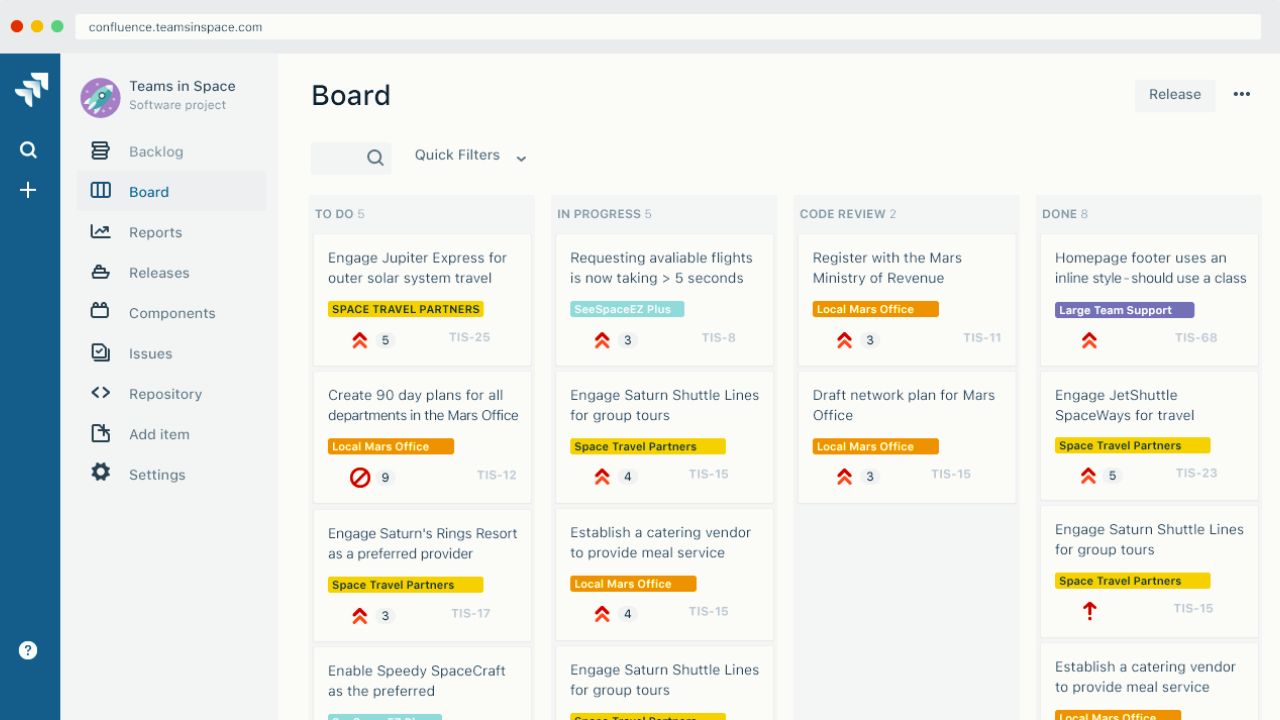
Jira gives maintenance tasks a clear place to live. Instead of leaving bugs in chat threads or meeting notes, teams can create tickets with owners, priorities, due dates, and status updates.
This Jira workflow helps developers, testers, and managers see the same work. The point is not extra administration. The point is making important fixes harder to lose.
Labels Help Teams Sort Work
Labels such as security update, technical debt, broken test, or customer bug make a board easier to read. They also help teams separate urgent production issues from long term improvements.
This ticket labeling keeps planning practical when the backlog grows. Without labels, every issue can look equally important, which slows decisions.
Backlogs Need Regular Cleanup
A backlog should not become a storage room for forgotten problems. Maintenance tickets need review dates, owners, and priority checks. This backlog discipline prevents teams from carrying hundreds of issues no one plans to fix.
If a task still matters, move it into a sprint, release, or maintenance window. If it no longer matters, close it with a short explanation.
GitHub Keeps Code Changes Traceable
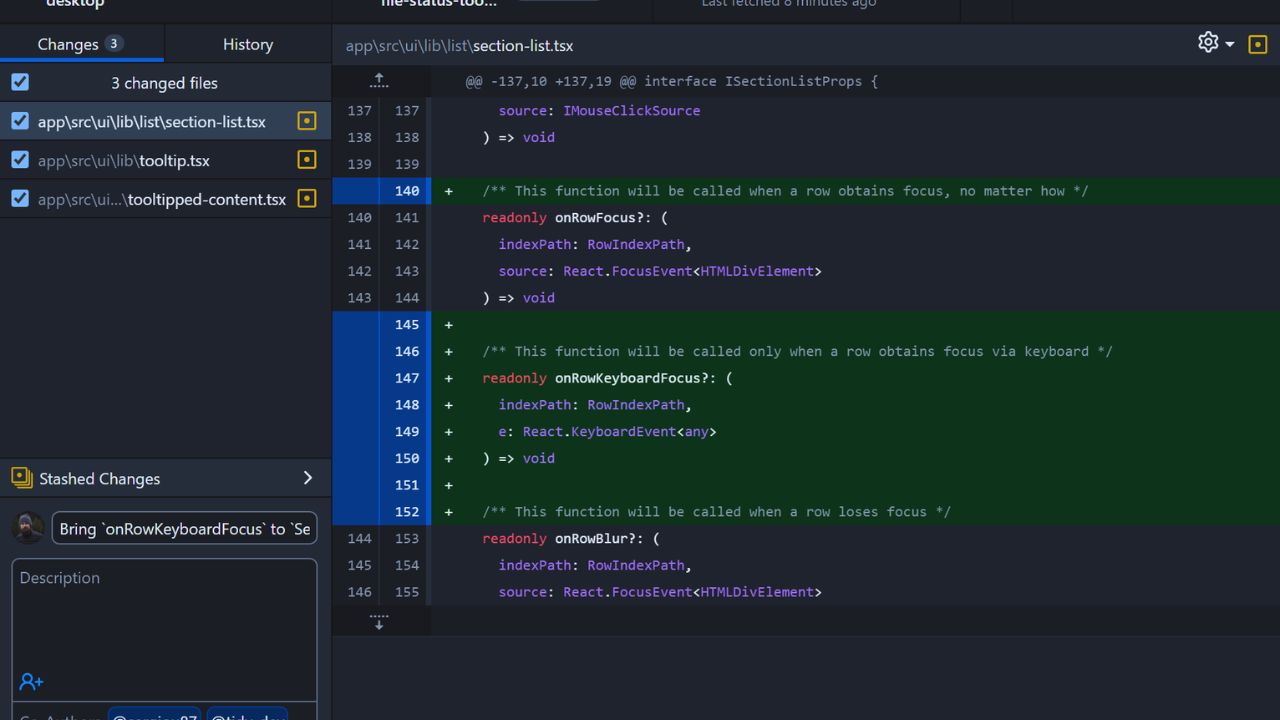
GitHub supports maintenance by showing what changed, who changed it, and why. Branches, commits, issues, and pull requests create a record that helps teams investigate later problems.
This code traceability is useful when a new bug appears after a fix. Developers should connect commits and pull requests to Jira tickets whenever possible. This keeps planning and code history aligned.
Branches Reduce Confusion
Maintenance branches help separate hotfixes, dependency updates, and feature work. A clean branch strategy reduces merge conflicts and makes rollback easier.
Teams should name branches clearly so reviewers know the purpose before opening the code.
Pull Requests Slow Down Risk
A rushed fix can create a second issue if no one reviews it. Pull requests give another developer time to check logic, tests, naming, and side effects.
This review process is especially important for security patches, database changes, and urgent hotfixes.
A short review is still better than merging blindly. Reviewers should check whether documentation, changelogs, or test notes need updating.
Also Read: How This Software Works Across Devices
Jenkins Makes Repeated Checks Consistent
Jenkins helps because maintenance often depends on repeated checks. Builds, tests, scans, and deployments should not rely only on memory or manual timing. A Jenkins pipeline can run the same steps after a pull request, on a schedule, or before release.
This reduces the chance that a fix works locally but fails elsewhere. The pipeline should stay simple enough to understand.
Scheduled Jobs Catch Early Signals
Preventive maintenance becomes easier when Jenkins runs checks before users report trouble. Nightly tests, dependency scans, log cleanup, and build verification can reveal issues while they are still small.
These scheduled checks are not a replacement for human review, but they create a useful safety net. When a job fails, the alert should point to a clear owner or channel.
Failed Builds Should Not Be Ignored
A failed build is not just background noise. It may show a broken test, missing dependency, weak configuration, or risky change.
This build failure should be reviewed quickly before the team ignores alerts. Once alerts lose meaning, automation stops protecting the product. Teams should fix recurring failures instead of accepting them as normal.
The Tools Work Best as One Loop
A practical maintenance flow can start in Jira, move through GitHub, and finish in Jenkins. Jira defines the problem, GitHub contains the code change, and Jenkins validates the result.
This connected workflow gives everyone a shared view of progress. It also helps the team explain what changed, who approved it, and when it was released.
The loop is strongest when each tool supports the next one without duplicating information.
Small Fixes Still Need a Path
Even simple fixes deserve traceability. A typo in a user message can begin as a Jira ticket, become a GitHub pull request, and pass a Jenkins build before release.
This simple route may look formal, but it prevents confusion later. Reliable habits are easier to build on small tasks than during major incidents.
Metrics Should Lead to Better Decisions
Maintenance metrics are useful when they show where the workflow is weak. Resolution time, failed builds, open bugs, repeated incidents, and dependency age can reveal patterns.
These maintenance metrics should guide honest discussion, not pressure people into fake speed.
If builds fail often, the team may need better tests. If old bugs keep growing, priorities may need review. Numbers should help teams ask better questions, not hide quality problems behind dashboards.
Strong Maintenance Comes From Steady Habits
Software maintenance basics work best when upkeep is treated as normal product care. Jira keeps tasks visible, GitHub protects code history, and Jenkins checks changes consistently.
A healthy maintenance routine also needs clear reports, careful reviews, useful metrics, and realistic ownership. Avoid hiding bugs in chat, merging fixes without review, or ignoring failed jobs until release day.
These tools cannot replace judgment, but they can support better decisions. Strong maintenance is built through small habits repeated before the software reaches crisis.