Choosing software becomes easier when reviews support your real requirements, not when badges replace judgment.
This guide explains how to use G2 as a practical research tool, so buyers can compare options, read feedback carefully, and avoid choosing a platform based only on popular rankings.
Start With Your Workflow Before Opening G2
G2 brings software categories, product profiles, and peer reviews into one place, but it cannot define your needs for you. Before comparing tools, write down the work the software must handle, such as reporting, client management, automation, or file storage.
This keeps the search grounded in daily operations instead of vendor language. A clear requirement list also helps you ignore features that sound impressive but do not affect your actual process.
Your requirements should separate must-have items from helpful extras. A small team may care more about setup time and support, while a larger company may need SSO, permissions, and data retention rules.
Budget belongs in this early step because renewal pricing, add-ons, and user seats can change the total cost quickly. When you know these limits first, G2 becomes a decision aid, not a place to browse endlessly.
Read G2 Categories Like a Starting Map
G2 categories help buyers understand which products compete in the same space. They are helpful for discovery, but they should be treated as a starting point, not a final answer.
Use Filters to Remove Poor Fits Early
Category pages can become overwhelming when many tools appear similar at first glance. Use filters for company size, industry, region, deployment type, and essential features before reading product pages in detail.
This reduces noise and keeps your shortlist closer to your business context. A tool loved by solo users may not suit a regulated team with strict security requirements.
After filtering, open only the products that match your most important conditions. Look at product descriptions, pricing notes, deployment information, integration claims, and support details.
If a tool hides basic information behind sales calls, treat that as a reason to slow down. Strong software pages usually make core capabilities and buyer limits easy to understand.
Also read: Online Tools For Simple Productivity: A Workday Workflow With Ranked Picks
Compare Scores Without Letting Them Decide
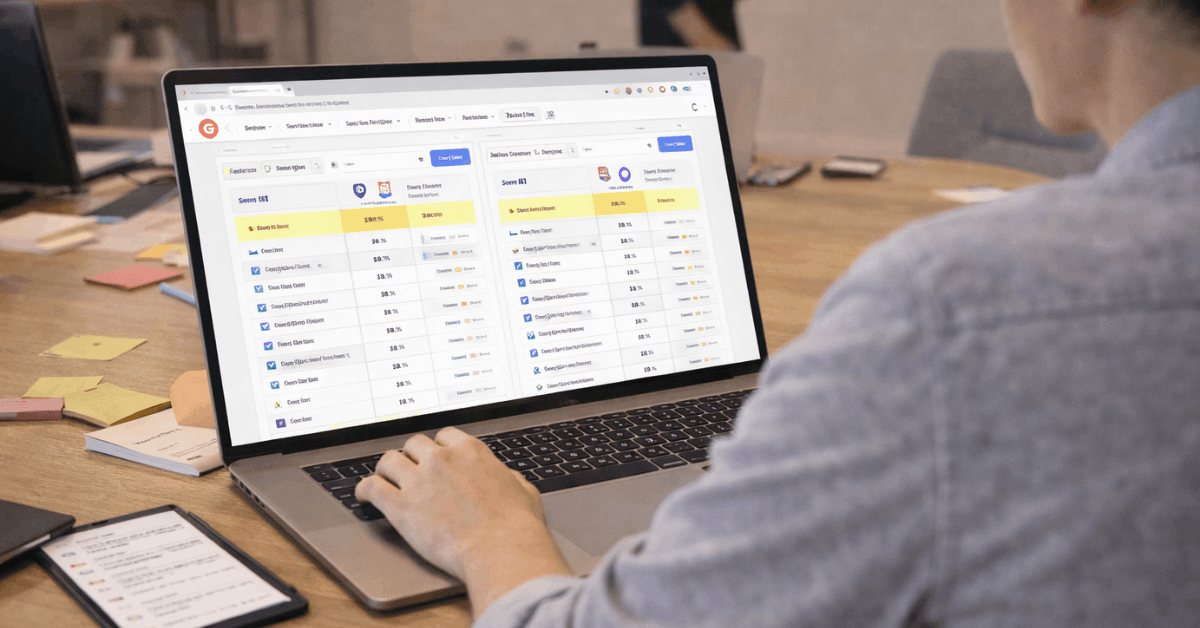
G2 comparisons can reveal differences that marketing pages often soften. A side-by-side view may show stronger usability feedback for one platform and better implementation scores for another.
These signals are useful, but the best comparison still connects each score to a real task your team performs. In software buying, practical fit matters more than public visibility.
Read Reviews for Patterns, Not Perfect Scores
Reviews are most useful when you look for repeated themes across similar users. One glowing comment or one angry complaint rarely tells the full story.
Focus on Recent and Relevant Feedback
Software changes quickly, so older reviews may describe problems that no longer exist or features that have since changed. Filter for recent reviews and pay attention to reviewers with a company size, role, or industry close to yours.
A marketing manager, IT admin, and finance lead may judge the same tool differently because they experience different pain points. Relevant reviews give you practical evidence instead of broad opinion.
The most useful comments often mention dislikes, setup issues, integrations, reporting, mobile use, permissions, and customer support. Three-star and four-star reviews can be especially valuable because they often include both strengths and trade-offs.
If several users mention slow support or difficult exports, do not dismiss it as a minor complaint. G2 becomes more useful when you read for repeated signals, not isolated reactions.

Validate the Shortlist Before Anyone Signs
A shortlist should be small enough to test properly. Three tools are usually enough for a serious comparison, especially when each one already matches your core requirements.
Turn Reviews Into Trial Questions
Use what you learned from G2 to create a trial plan. If reviews mention weak reporting, test reports with your own data. If users praise support, send a real question and see how the vendor responds.
If integration is a major promise, ask for the exact setup path and what happens when something fails. A trial should test daily reality, not a perfect demo.
Keep the trial checklist short so the team actually uses it:
- Test one real workflow.
- Confirm integration steps.
- Review export options.
The people who will use the software every day should join the test. Managers may care about reporting and cost, while users care about speed, navigation, and fewer repeated steps. A tool that looks strong in a leadership meeting can still fail if the daily users find it awkward.
Check Cost, Risk, and Exit Options
G2 can help narrow options, but the final decision should include pricing, security, procurement, and long-term risk. A product is not ready for purchase just because reviews look good.
Review the Details That Become Painful Later
Ask about renewal terms, seat limits, storage limits, add-on modules, onboarding fees, and cancellation rules before approving the contract. Also confirm whether your data can be exported in a usable format if you leave.
Buyers often focus on first-year pricing, then discover later that useful features require a higher plan. Clear cost review protects the team from budget surprises and vendor lock-in.
Security and compliance should also be checked before sensitive data enters the tool. Review documentation, permissions, audit logs, data retention, and support channels.
If the vendor cannot answer basic questions clearly, that matters as much as a weak review pattern. Trust is built through transparent policies, not only high ratings.
Conclusion: Use G2 as Evidence, Not a Shortcut
G2 can make software research more structured because it brings categories, comparisons, reports, and user reviews into one place.
The smarter approach is to use those signals to build a shortlist, then test each tool against your own workflow needs and risk limits.
Before choosing any platform, connect review patterns to real tasks, trial results, cost details, and support quality.
The strongest software decision is not the one with the most badges; it is the one your team can use consistently, afford responsibly, and leave safely if it stops fitting the work.