Notion can be a useful everyday workspace, but it works best when the setup stays practical. This article explains where Notion helps, where it can slow you down, and how to build a simple system around real routines.
Start With the Problem, Not the Template
The biggest mistake new users make is starting with a beautiful dashboard before knowing what they need to manage. A polished layout can feel productive, but it may hide the fact that your tasks, notes, and reminders are still scattered.
Before adding widgets or complex databases, decide what Notion should handle each day. For many people, that means planning the week, saving references, and keeping important details easy to find.
Notion uses pages and databases together, which gives the platform its flexibility. Pages hold notes, plans, and reference material, while databases organize repeated items like tasks, projects, expenses, or reading lists.
If every page uses a different structure, your workspace quickly becomes harder to trust. A small, consistent setup beats a complex dashboard design.

Where Notion Fits Best in Daily Life?
Notion is strongest when it connects scattered information that normally lives in separate places. It is less useful when you force it to replace every specialized tool you already use well.
A Home Base for Notes, Tasks, and Reference Material
For personal organization, Notion works well as a central place for daily planning and long-term reference.
A simple dashboard can show today’s tasks, weekly priorities, saved links, and notes to revisit. Instead of searching through chats and random files, you can keep related information in one searchable space.
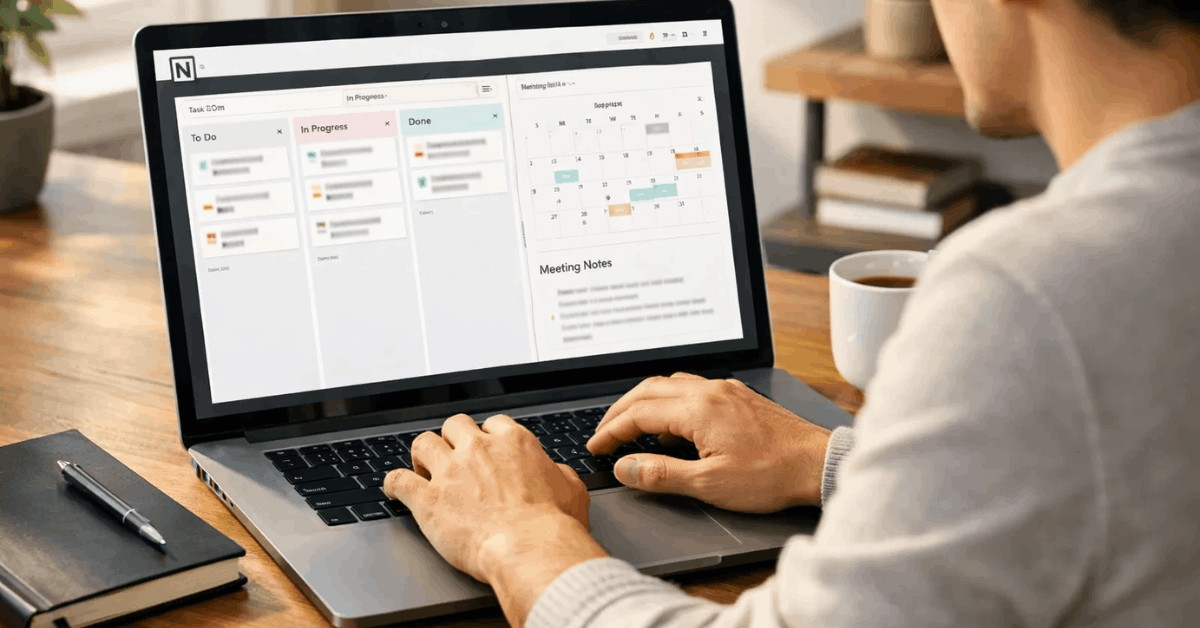
A task can appear in a calendar view, project board, and weekly list without being copied into three places. That is one of Notion’s practical strengths because it changes the view without changing the underlying information.
This makes it useful for content planning, study notes, home admin, freelance work, and personal archives.
Also read: Online Tools For Simple Productivity: A Workday Workflow With Ranked Picks
When It Starts Becoming Too Much
Notion becomes less helpful when the setup demands more attention than the work itself. Complex dashboards, too many tags, and unnecessary relations can turn a planning system into a maintenance job.
If you spend more time adjusting views than completing tasks, the tool is probably too heavy. A good Notion system should reduce mental clutter, not create another project to manage.
Mobile use is another limit to consider. Notion is useful for quick notes or checking a list, but deep editing usually feels smoother on desktop. If you rely on phone-based task entry, keep fast reminders elsewhere and use Notion for weekly planning.
A Practical Setup That Does Not Feel Overbuilt
A strong setup should answer two questions quickly: what needs attention today, and where is the context behind it? Once those questions are covered, extra sections should earn their place.
Build One Page You Actually Use
A one-page hub is usually better than several dashboards. Place your Today view near the top, followed by a small weekly section and an inbox for uncategorized notes.
Add only the reference links you open often, such as finance notes, home documents, project pages, or reading material. If something is rarely used, it does not need to sit on the main page.
A short checklist can keep the basic setup focused:
- One Today list
- One Inbox
- One weekly review
This small structure gives you control without constant redesign. The inbox catches ideas, the Today list keeps attention clear, and the weekly review prevents old tasks from piling up.
If you later need a content calendar or reading log, add it only when the need becomes regular. Notion grows better when it expands from real use.
Use Templates Carefully
Templates can save time, but they can also make a workspace feel copied rather than personal. A meeting note template, project brief, or recurring task format is useful when it prevents repeated setup.
A full life dashboard with dozens of sections may look impressive but feel tiring after a week. The best templates match your actual routine.
For beginners, it is better to customize a small layout than import a large system you do not understand. Rename properties in plain language, remove unused sections, and keep status options simple.
“Doing,” “Waiting,” and “Done” may be enough for many personal projects. The goal is to make the next practical action easier to see.
What to Check Before Depending on Notion?
Any tool that stores daily plans, notes, and work documents deserves a careful review. Notion can be useful, but users should understand its limits around access, privacy, performance, and offline use.
Privacy and Account Habits Matter
If you store personal or work information in Notion, review account security before adding sensitive details. Use a strong password, check sharing settings, and avoid making pages public unless they are meant to be shared.
Team workspaces should have clear rules for permissions, naming, and ownership. These habits protect private information from being exposed by accident.
Notion’s AI assistance and workspace search can make information easier to summarize or retrieve. Still, users should review important output instead of treating it as final.
AI can help draft or organize, but it may miss context. Human review matters when content affects clients, finances, schoolwork, or internal decisions.
When Notion Is Worth Keeping
Notion is worth using when it helps you find useful information faster and make daily decisions with less friction. It is not worth keeping if the system makes you feel behind, confused, or tempted to redesign instead of act.
Conclusion: Pair It With Specialist Tools When Needed
Notion does not need to replace every app. A dedicated calendar may still be better for appointments, a simple task app may be faster for quick reminders, and a spreadsheet may be stronger for formula-heavy tracking.
Notion works well as the place where context connects, while specialist tools handle jobs that require speed or advanced functions.
The best version of Notion is usually boring in a good way. You open it, see what matters, capture what should not be lost, and close it when the work is clear.
If your setup supports that rhythm, Notion can become a dependable organization hub instead of another digital distraction.