What Trello Replaces in Your Workflow: 2026 Guide for Beginners

Trello can be useful when work is hiding across email threads, spreadsheets, chat messages, and meeting notes.

Instead of asking people to remember every update, it gives tasks a visible place to move from request to completion.

This guide explains how Trello can replace messy work habits without turning your team into a complicated project system. You will learn where it fits, where it should stay simple, and when a more specialized tool may still be needed.

Start by Replacing One Workflow Problem First

Trello works best when you use it to fix a specific workflow gap, not when you try to rebuild everything at once. A small, clear starting point keeps the board useful before the team adds more structure.

Replace Email-Driven Tasking With Trackable Cards

Email can work for formal communication, but it often fails when messages become task assignments. A request can be turned into a Trello card with an owner, due date, checklist, comment thread, and attachments.

This gives the task one home instead of leaving updates spread across replies and forwarded messages. It also reduces the “did you see this?” follow-up because the card status shows what is happening.
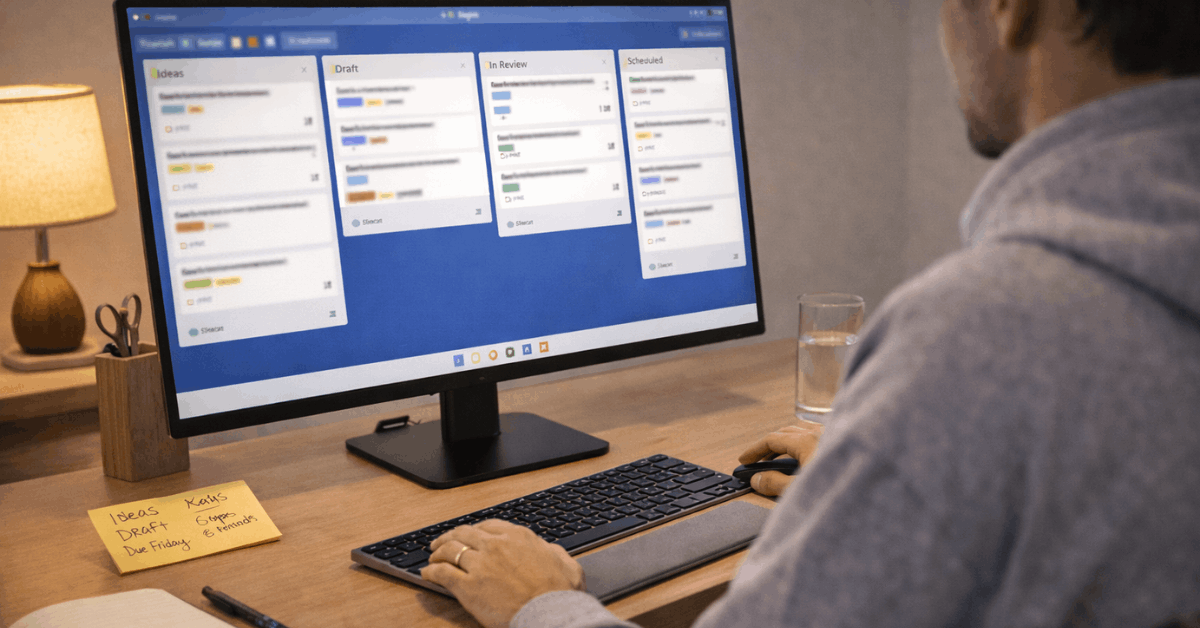
What Trello Replaces in Your Workflow

Stop Using Spreadsheets as Status Boards

Spreadsheets are useful for numbers, but they can become awkward when teams use them to show project movement.

Trello lists make status easier to scan because cards move through stages like Backlog, In Progress, Review, and Done.

Labels and filters can help sort work without relying on complicated formatting. If the spreadsheet is mainly being used to track progress, a visual board may be easier for the team to maintain.

Build a Board That Matches How Work Actually Moves

A Trello board should mirror the way your team already handles real deliverables. If the board structure feels unnatural, people will return to chats, emails, and side documents.

Create Lists Around Real Stages

Start with simple lists that match the team’s normal workflow. For many projects, Backlog, In Progress, Review, and Done are enough to make work status clear.

Teams can rename stages later if the process has specific language, such as Drafting, Editing, Approved, and Published. The goal is not to copy a template perfectly, but to make the board reflect actual movement.

Make Each Card Specific Enough to Act On

A card should describe one clear piece of work, not a vague reminder. Write the title as an action, then add short notes about what “done” means.

Attach files, links, or instructions only when they help the person complete the task. Clear cards reduce confusion because the next step, owner, and expected outcome are visible in one place.

Use this simple card check before adding more details:

  • Add one clear owner.
  • Set one real due date.
  • Write one done condition.

Use Trello to Reduce Meetings and Lost Updates

Many teams hold status meetings because the work is not easy to see. A well-maintained Trello board can make progress updates visible before anyone opens a meeting link.


What Trello Replaces in Your Workflow

Keep Decisions Close to the Work

Chat messages move quickly, so decisions can disappear under newer conversations. Trello card comments keep questions, approvals, and updates connected to the task itself.

This matters during handoffs because the next person can see the work history without searching through several channels. It also makes async collaboration easier for remote or hybrid teams working across different schedules.

Also read: Using Microsoft Word in 2026 More Efficiently

Turn Status Reviews Into Targeted Conversations

A board does not remove every meeting, but it can make meetings more focused. Leaders can scan blocked cards, overdue work, and items stuck in review before deciding what needs discussion.

This changes meetings from broad updates into specific problem-solving sessions. When the board is accurate, the team spends less time reporting progress and more time fixing the work that is actually stuck.

Add Features Only When They Remove Repeated Work

Trello has useful features, but adding too many at once can make the board harder to use. The strongest setup is usually the one where every feature has a clear purpose.

Use Checklists, Labels, and Due Dates With Restraint

Checklists help when a task has several small steps, such as drafting, reviewing, approving, and publishing. Labels are useful when they sort work by priority, department, client, or content type.

Due dates help the team see urgency, but they should be realistic enough that people trust them. These features support daily execution when they clarify work instead of decorating every card.

Automate Only the Obvious Steps

Automation can save time when the same action happens repeatedly. For example, a card can move to Review when a checklist is completed, or a reminder can appear before a due date.

However, automation should not hide a messy workflow or replace clear ownership. If the team does not understand the manual process, automation may only move confusion faster.

Know When Trello Should Not Replace Everything

Trello can organize many team workflows, but it does not need to become the only tool in your business. Some work still needs specialized systems because the risk, detail, or compliance requirements are higher.

Keep Formal Tools for Complex Work

Engineering, finance, legal, and compliance-heavy projects may need tools built for deeper tracking. A team may still need Jira for complex issue dependencies, accounting software for financial records, or signed email trails for formal approvals.

Trello can show high-level status, but it should not replace systems that handle technical detail or regulated documentation. The safer approach is to connect Trello to those tools when visibility is needed.

Avoid Turning Every Thought Into a Card

A Trello board can become cluttered when every idea, comment, and half-formed plan becomes a card. Use the backlog as a waiting room, not as permanent storage.

Archive finished or abandoned cards regularly so the board stays readable. A clean board builds team trust because people can scan it without digging through old noise.

Scale the Board Without Losing Clarity

As more people use Trello, small structure choices become more important. Naming, permissions, templates, and cleanup habits help the system stay easy to understand as work grows.

Standardize Names and Labels Early

Board names should make sense when people search for them later. A team might use prefixes like Marketing, Operations, Hiring, or Support to keep work easier to find.

Labels should have agreed meanings, not random colors that each person interprets differently. Simple standards prevent board confusion before the workspace becomes crowded.

Review Boards Before They Become Stale

A Trello setup needs occasional cleanup to stay useful. Inactive boards, orphaned cards, duplicate labels, and overdue tasks can make the system feel unreliable.

A short weekly or monthly review can remove old work and update boards that still matter. This keeps Trello from becoming another digital storage pile that people slowly stop trusting.

Conclusion: Let Trello Replace the Mess, Not the Judgment

Trello is most useful when it replaces scattered updates with a clear view of tasks, owners, files, and deadlines. Start with one workflow, keep the board simple, and add features only when they remove repeated work.

Do not force Trello to replace specialized tools that handle compliance, finance, engineering, or formal records better.

A readable board with clear cards will usually support the team more than a complex setup nobody wants to maintain.

Previous articleWindows 11 Guide for Non-Technical Users
Next articleTop Useful Tools For Everyday Digital Life Ranked
Evan Carlisle
Evan Carlisle is the lead editor at LoadLeap, a site focused on useful online tools for everyday tasks. He writes clear guides on digital organization, practical productivity, light automation, and simple routines that reduce friction. With a background in Information Systems and years in digital content, Evan turns technical features into steps readers can apply fast. His goal is to help you pick the right tool, set it up correctly, and keep your workflow calm and reliable.