Zoom in 2026 is no longer only about joining a video call and hoping the meeting runs smoothly. The platform now connects meetings, documents, chat, phone, rooms, and
AI-supported follow-ups in a more connected workflow. This guide is useful for teams, managers, support leaders, marketers, and IT staff who want better collaboration without creating new confusion around automation.
The main focus is simple: use Zoom’s newer tools to reduce busywork while keeping privacy, consent, and human judgment clear.
What Zoom’s 2026 Direction Means for Daily Work?
Zoom’s newer direction is built around one practical issue: work does not happen in only one meeting window. Decisions often move through calls, documents, recordings, chats, and follow-up tasks before anything is actually finished.

AI Should Reduce Busywork, Not Replace Judgment
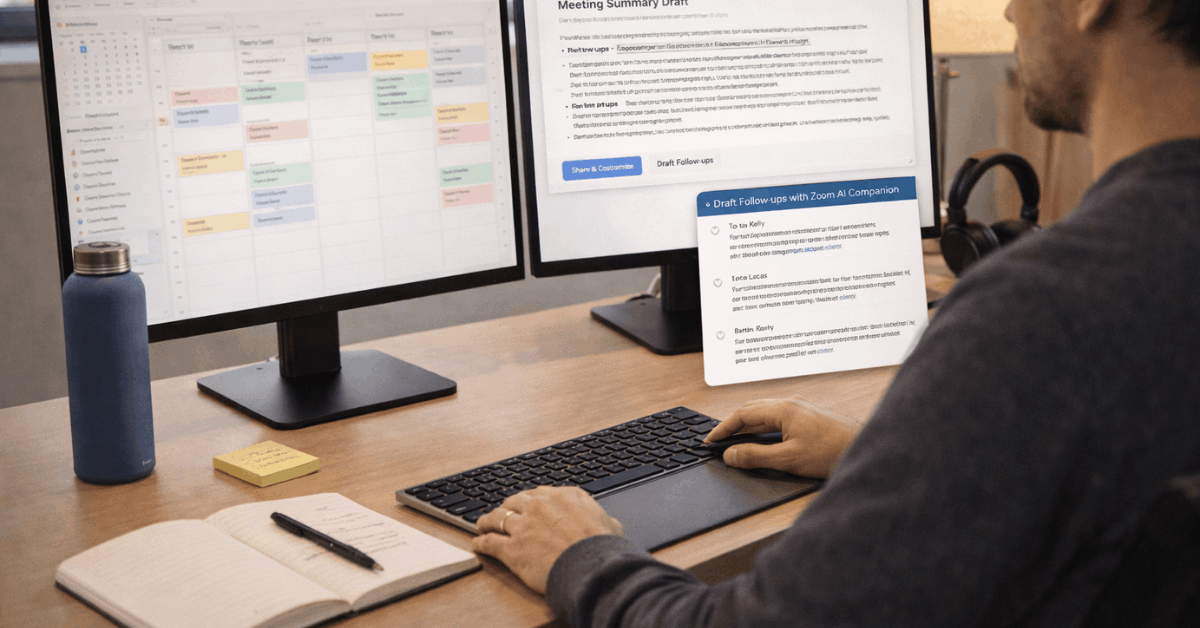
AI features can help summarize meetings, draft follow-ups, organize notes, and search through related materials. That can save time when teams spend too many hours rewriting recaps or looking for missed decisions after a call.
Still, AI output should be reviewed before it becomes a client update, internal decision, or customer response. The strongest use is assisted productivity, where people still check context, tone, accuracy, and sensitivity.
Connected Workflows Matter More Than Extra Features
The real benefit comes when a meeting leads naturally into the next action. A recap should connect to a document, a task should connect to an owner, and a follow-up should not depend on someone remembering it later.
This is where Zoom AI Companion, Docs, search, and meeting artifacts can support smoother handoffs. The value is not in having more features, but in reducing the context switching that slows teams down.
Use AI With Clear Rules From the Start
AI adoption becomes risky when teams turn features on before explaining how they will be used. People need to know when AI is active, what it captures, and where the output goes.
Make Consent Easy to Understand
Hosts should clearly explain when summaries, recordings, transcripts, or AI-assisted notes are being used. This matters in client calls, employee discussions, classrooms, interviews, and support situations where sensitive details may appear.
A simple announcement at the start of a meeting builds more trust than hiding AI behind default settings. Clear consent habits make meeting participation feel safer and more predictable.
Control Where Summaries and Notes Go
Meeting summaries can be helpful, but they should not be shared carelessly. Teams should decide who can start AI features, which meetings are excluded, where summaries are stored, and how long they remain available.
This is especially important for HR, legal, sales, education, and customer support teams handling private information. Good governance keeps AI useful without turning every meeting artifact into a sharing risk.
Also read: Using Microsoft Word in 2026 More Efficiently
Where Zoom AI Can Help Teams Most?
AI works best when it removes repeated manual work from busy schedules. It is less useful when teams expect it to fix unclear processes or replace thoughtful decisions.
Meeting Recaps Can Protect Follow-Through
Meeting summaries help when calls include several decisions, deadlines, or action items. Instead of relying on one person to write everything manually, AI can create a first version of the recap for review.
The host or team lead should still confirm names, dates, commitments, and any sensitive points before sharing. This keeps follow-through cleaner while avoiding mistakes caused by unchecked automation.
Search and Drafting Can Reduce Rework
When people cannot find the right document, recording, or previous note, they often repeat work. AI-supported search can help teams locate relevant meeting details, files, or summaries faster.
Drafting support can also help prepare updates, briefs, and follow-up messages from existing context. These tools are most useful when they support work continuity, not when they create polished text that nobody verifies.
Customer Experience Needs More Than Automation
Zoom’s customer experience tools can help support teams, but automation should be used with care. Customers usually notice when a process becomes faster, but they also notice when it becomes cold or confusing.
Track Customer Effort, Not Only Satisfaction
Customer satisfaction scores can be useful, but they do not always show how hard it was to solve a problem. A customer may feel relieved at the end but still remember the transfers, repeated explanations, and long wait time.
Tracking customer effort helps teams see where the journey creates unnecessary friction. Lower effort usually means fewer repeat contacts, better trust, and a more consistent service experience.
Use Virtual Agents With Boundaries
Virtual agents can answer common questions, route requests, and reduce pressure on support teams. However, they need clear limits so customers can reach a person when the issue is complex, emotional, urgent, or unusual.
Treat automation like a support teammate with goals, monitoring, and regular improvement. A good virtual agent reduces simple workload without blocking the human support people still need.
Prepare Rooms, Devices, and Calendars Before Scaling
Zoom works better when the physical and technical setup is consistent. If every room, device, and calendar behaves differently, meetings become harder before the conversation even begins.
Standardize Meeting Rooms by Real Use
Teams should define room types based on how people actually meet. A small huddle room, medium meeting room, and large conference room may need different camera behavior, audio tests, displays, and sharing options.
Standardizing those basics helps employees walk into a room and know what to expect. Reliable room setup reduces technical hesitation and protects meeting time.
Keep Calendar and Device Management Simple
Calendar integration should make scheduling easier, not create another layer of confusion. Choose one main calendar system, confirm room availability rules, and use check-in or auto-release features if ghost meetings are common.
Device management also matters because updates, restarts, and support checks should not depend on someone visiting every room manually. Consistent management helps IT keep rooms reliable without constant last-minute fixes.
Use this short Zoom readiness check:
- Confirm room standards.
- Review AI permissions.
- Test network quality.
Security and Emergency Planning Still Matter
Collaboration tools touch communication, files, contacts, and sometimes location-related services. Teams should treat Zoom as part of their broader workplace infrastructure, not only as a meeting app.
Review Network and Access Controls
Real-time media depends on stable networks, clear firewall rules, and predictable bandwidth. Poor network planning can make audio, video, and screen sharing feel unreliable even when the software settings are correct.
IT teams should test rooms during busy periods, not only during quiet setup windows. Strong technical foundations protect call quality and reduce support requests during important meetings.
Plan Emergency Calling Carefully
If Zoom Phone is used across offices or remote teams, emergency calling deserves its own review. Location details, user prompts, internal response steps, and ownership should be clear before an emergency happens.
This is especially important for shared spaces, hybrid workers, and offices with multiple floors or buildings. Emergency planning protects workplace safety and should not be treated as a minor setup detail.
Conclusion: Make Zoom Smarter Without Making Work Riskier
Zoom in 2026 can help teams move faster when AI, rooms, calendars, and support workflows are set up with care.
Start with clear standards, then add AI where it reduces manual follow-up, repeated searching, and unnecessary context switching.
Keep consent, privacy, summary sharing, and emergency planning easy for people to understand. The strongest Zoom setup is not the one with the most features turned on, but the one that makes daily collaboration clearer, safer, and easier to trust.