Most people running a home office or solo workflow have at least four different places where tasks go to die. A chat thread here, a sticky note there, a PDF buried in Downloads with a name like “final_FINAL_v3_USE THIS ONE.” Sound familiar?
The fix is not a complex productivity system. It is a small, specific stack of three tools used in a consistent daily order. Todoist for tasks, Obsidian for notes, and Sejda for PDFs.
Each one does one job. Together, they cover almost everything a solo worker or small team handles daily. And the order you open them matters more than most guides admit.
So let me walk you through exactly how to use them, starting from the moment you sit down.
Why Your Task List Fails Before Lunch
The typical advice is to use a task app. Just pick one and stick with it. I think that advice skips the actual problem: most people do not fail because they picked the wrong app. They fail because they never build a capture habit that makes the app worth opening.
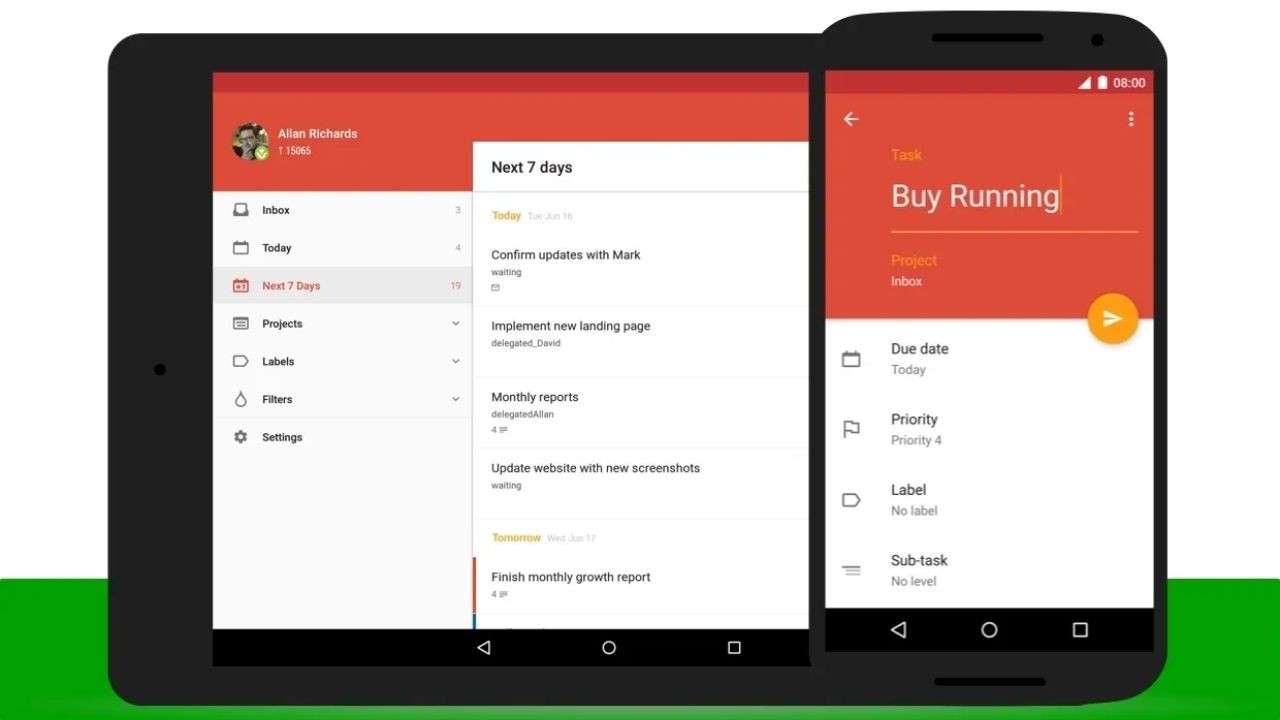
Todoist works best when it functions as a single intake point. Every obligation, no matter how small, lands there before it lands anywhere else. No mental negotiation about whether it “deserves” to be a task. If it takes time, it becomes a task.
The Three-List Setup That Actually Works
Create three views inside Todoist and use nothing else for the first month:
- Today: Actions you will complete today. Not aspirations. Not stretch goals.
- This Week: Tasks that matter but have no hard deadline yet.
- Waiting: Everything blocked by another person or an external delivery.
The Waiting list is the one most productivity guides skip entirely. And it is the one that silently kills your follow-through. Tasks disappear into someone else’s inbox, and you forget to follow up. A dedicated Waiting view means you review it every morning, and nothing falls out of sight.
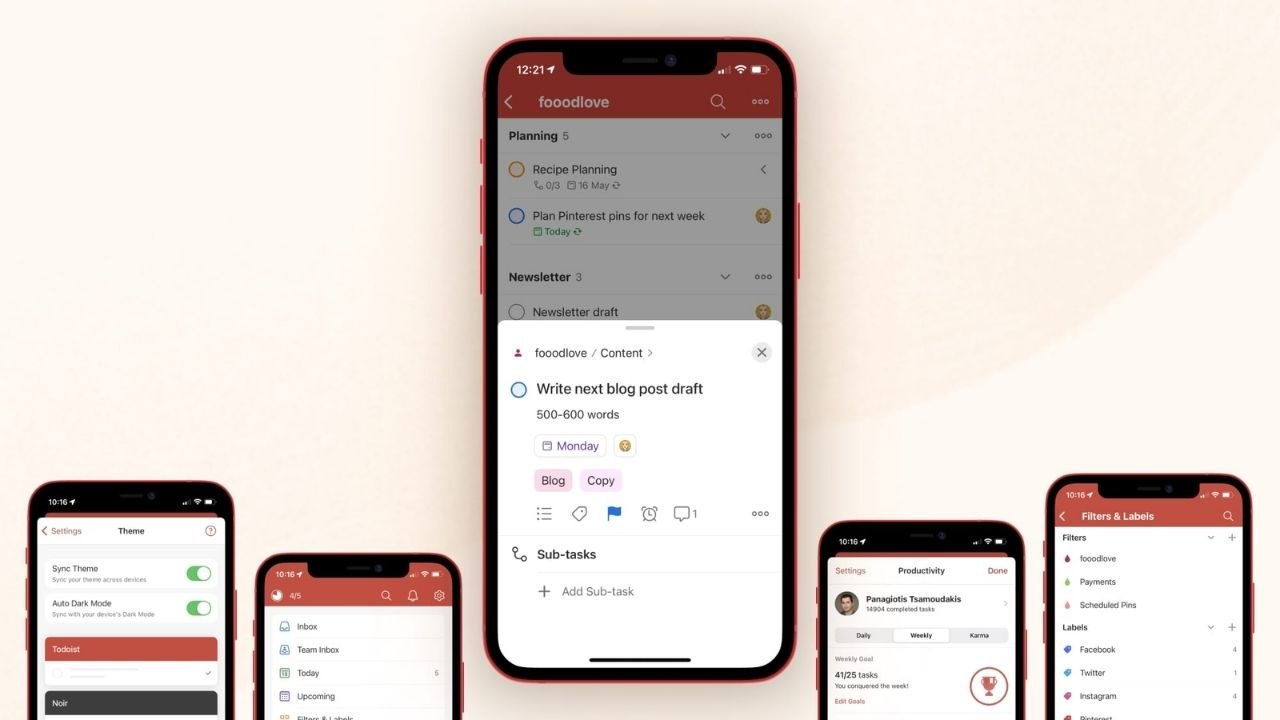
Labels That Cost You Nothing to Remember
Use labels to separate work contexts: Admin, Calls, Deep Work. Keep the total number of labels under five. The moment your label list requires scrolling, it has already failed.
Filters inside Todoist let you narrow to only what matches your current energy. Ten free minutes? Pull a filter for quick tasks. Two-hour block? Show only Deep Work items.
Also read:Discord vs Teams vs ClickUp vs Figma: Pick the Right Tool Before You Waste a Month
Recurring Tasks Are a Rhythm Tool, Not a Chore Manager
Set recurring reminders for anything you do weekly but tend to forget: file backups, weekly reports, inbox zero reviews. Add a short checklist in the task description so you do not have to rebuild the steps each time.
I think the two-minute rule gets misapplied constantly in productivity circles. It is a filter, not a pressure.
If something genuinely takes two minutes, do it now and close it. If you are using “two minutes” as a reason to avoid adding a task, you are just deferring something that will reappear tomorrow with more weight.
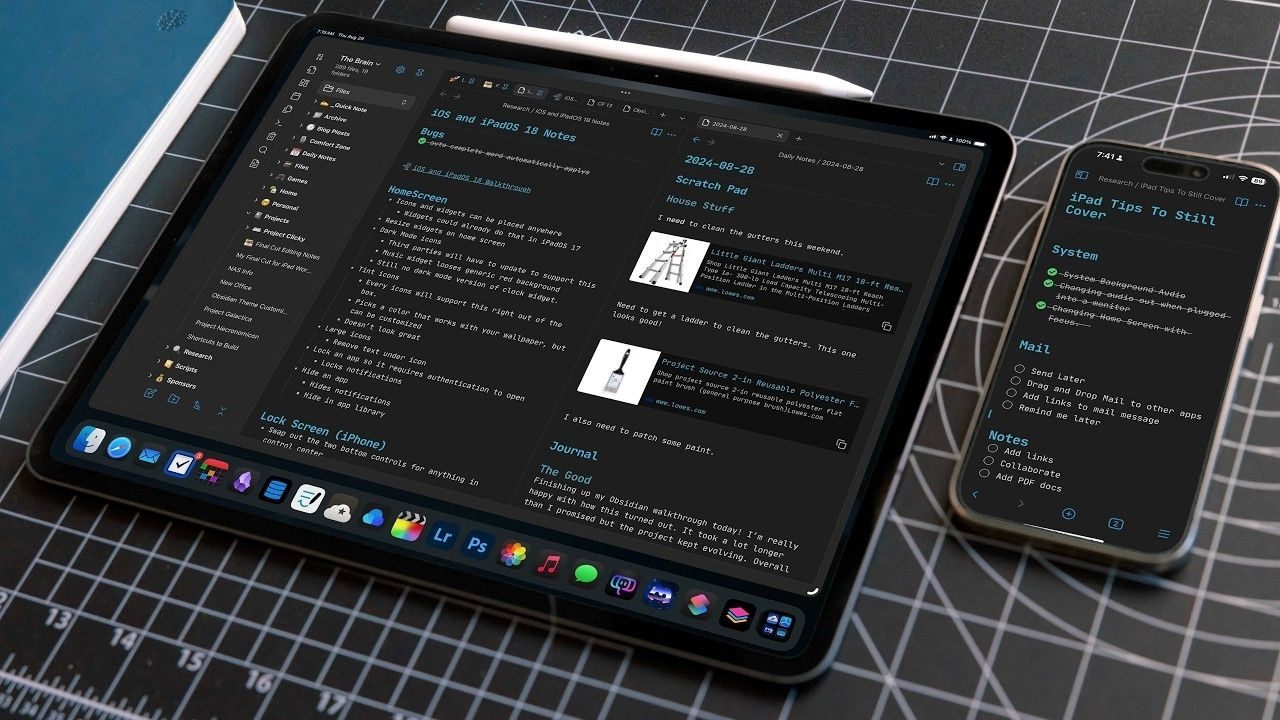
Notes That Are Searchable Beat Notes That Are Organized
Obsidian is the kind of tool that attracts obsessive organizational systems. And that obsession is exactly what makes it fail for most people in the first two weeks.
My take: the perfect vault structure is the enemy of useful notes. Start with one vault, no sub-folders, and a consistent note title format. Use YYYY MM DD plus a topic label. Something like 2026 01 16 Password Reset or 2026 03 04 Client Intake Process.
Consistent titles make search results scannable in under three seconds.
One Reusable Template Beats Ten Specialized Ones
Build a single note template with four headings: Goal, Steps, Links, Follow Up. Duplicate it every time you start a new reference note. That is it. Resist the pull to create specialized templates for every project type.
The more templates you maintain, the more time you spend deciding which one to use instead of writing the actual note.
Link Your Notes Directly to Tasks
Paste the Obsidian note link into the related Todoist task. When you open a task, the context is one click away. No switching apps, no searching, no reorienting yourself to what this task even means.
When a task is done, add one outcome line to the linked note. Resolved by resetting admin credentials. Fixed 2026-03-12. That single line turns your notes into a searchable decision log.
The next time the same problem appears, six months later when you have completely forgotten the details, you will find the answer in under a minute.

Tag Lightly or Search Gets Buried
Use tags for broad categories only: receipts, logins, troubleshooting, tutorials, templates. Five tags maximum. If you find yourself creating a tag for a specific project, stop. Use two keywords in the search instead.
Obsidian’s official search documentation shows how combining keywords and tags gives you faster results than tagging everything granularly. Light tagging stays usable at two hundred notes. Heavy tagging collapses under its own weight by the time you hit fifty.
PDFs Break Workflows More Than Any Other File Type
Every form, every signed agreement, every upload portal with a file size limit eventually involves a PDF. And Sejda PDF handles all of it without requiring a subscription or a desktop install for the most common tasks.
The rule I follow: decide the final purpose before touching the file. Are you printing it? Emailing it? Uploading to a portal with a 5MB limit? The answer changes, which steps you take, and in what order.
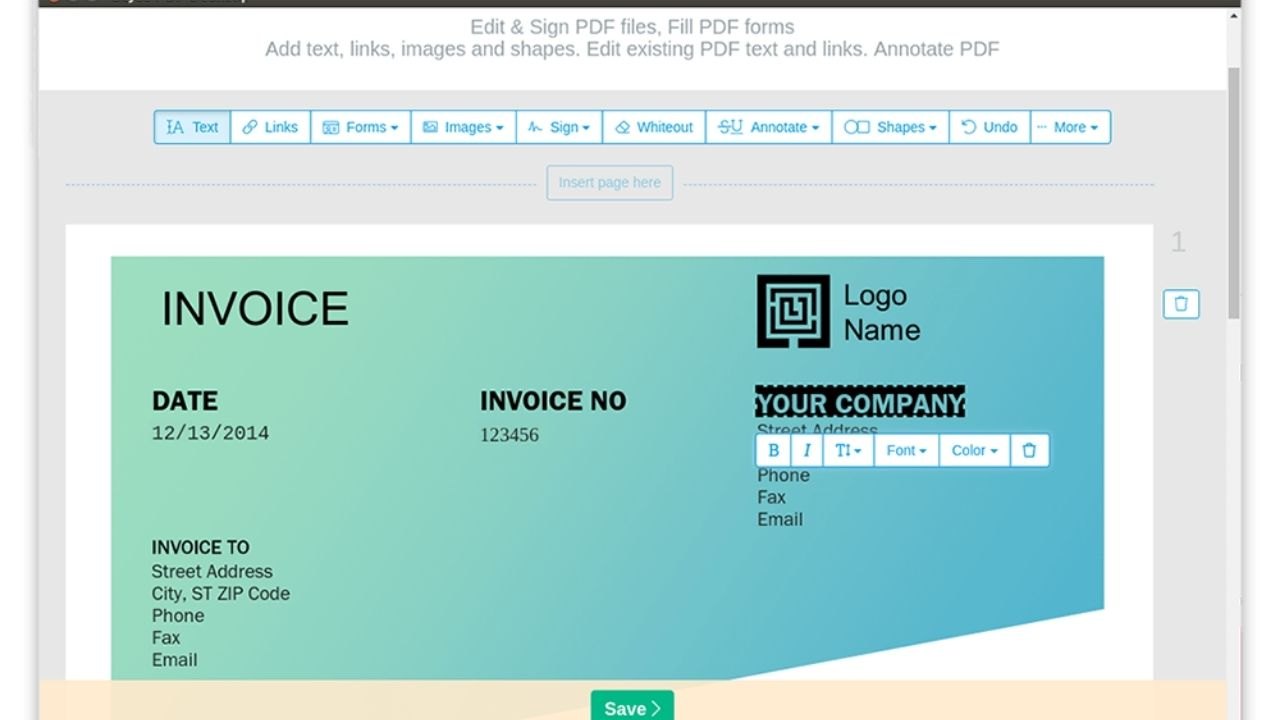
Merge and Reorder Before You Send
Combine related pages into one PDF before sharing. In Sejda, merge the files, then reorder pages so the signed page or executive summary appears first. Remove blank pages. Rotate anything sideways.
One clean merged file is easier for a reviewer to process than four separate attachments. And it reduces the risk of someone missing a page because they did not realize attachment three existed.
Compress After Content Is Correct
Compress only after the page order and content are finalized. Choose a compression level that keeps text sharp at normal zoom. Open the compressed version and check every page before sending. If the text looks soft or blurry, use a lighter setting and retry.
Sejda’s compression tool lets you preview the output before downloading, which is the step most people skip and then regret when a portal flags the file.
Set a Final Version Rule and Stop Editing
Name the exported file with the date and purpose: 2026 03 15 Signed Agreement Client A. If you will reuse it, store it in Reference. If it is one-time, move it to Archive after sending.
The “final FINAL v3 USE THIS” naming spiral exists because people never commit to a final version rule. One export, one name, one destination. After that, the file does not get touched again without creating a new named version.
Comparing These Three Tools at a Glance
| Tool | Primary Job | Daily Time Investment |
|---|---|---|
| Todoist | Task capture and priority | 5-10 minutes morning review |
| Obsidian | Searchable reference notes | 5 minutes end-of-day cleanup |
| Sejda PDF | Document prep and compression | As needed, under 5 minutes per file |
The total active time across all three is under twenty minutes daily. Everything else is passive use during your normal workflow.
Questions People Ask About Daily Software Routines
Q: Do I need all three tools, or can I start with just one? Start with Todoist only and run it for two weeks. Add Obsidian once you notice yourself rewriting the same reference information repeatedly. Sejda enters the picture the first time a PDF submission gets rejected for size or format.
Q: Can I use Google Drive instead of Sync for file storage? Yes, and the three-folder structure works identically. Active, Reference, Archive translates to any cloud storage platform. The naming convention with YYYY MM DD dates matters more than which service hosts the files.
Q: How do I stop my Obsidian vault from turning into a junk drawer? Do the five-minute end-of-day review. Open every note you created that day, add any missing steps or outcomes, and move reusable notes to a Reference folder. Archive anything temporary. That one habit prevents 90% of vault clutter.
Q: Is Sejda PDF safe for documents with sensitive information? Sejda processes files on its servers and states that uploaded files are deleted after a set period. For highly sensitive documents, use a desktop PDF tool that processes locally. For general admin and business documents, Sejda is a reasonable and widely used choice.
Q: What if my team uses different tools than these three? The system is the habit, not the specific app. The capture-first rule works in any task manager. The date-based naming convention works in any file system. The final version rule works with any PDF editor. Adapt the structure to whatever your team already has running.
Conclusion
A stable daily stack does not need to be complicated to be effective. These three tools, opened in the same order each morning, eliminate most of the friction that makes solo work feel chaotic.
Todoist keeps your obligations visible so nothing disappears into memory. Obsidian keeps your knowledge searchable, so you stop rebuilding the same context from scratch.
Sejda keeps your documents submission-ready so portals stop rejecting your uploads at the worst possible moment. Run this stack for thirty days, and the routine stops feeling like a system. It just becomes how you work.