Trello works best when it stays simple enough to use every day. This guide explains a Trello beginner tutorial for people managing school tasks, content calendars, small business work, or home projects.
You will learn how boards, lists, cards, labels, dates, and Power Ups support a cleaner workflow. The focus is not building a complicated system, but creating a board that helps work move forward. It works best when everyone updates the board consistently too.
Start With One Clear Board
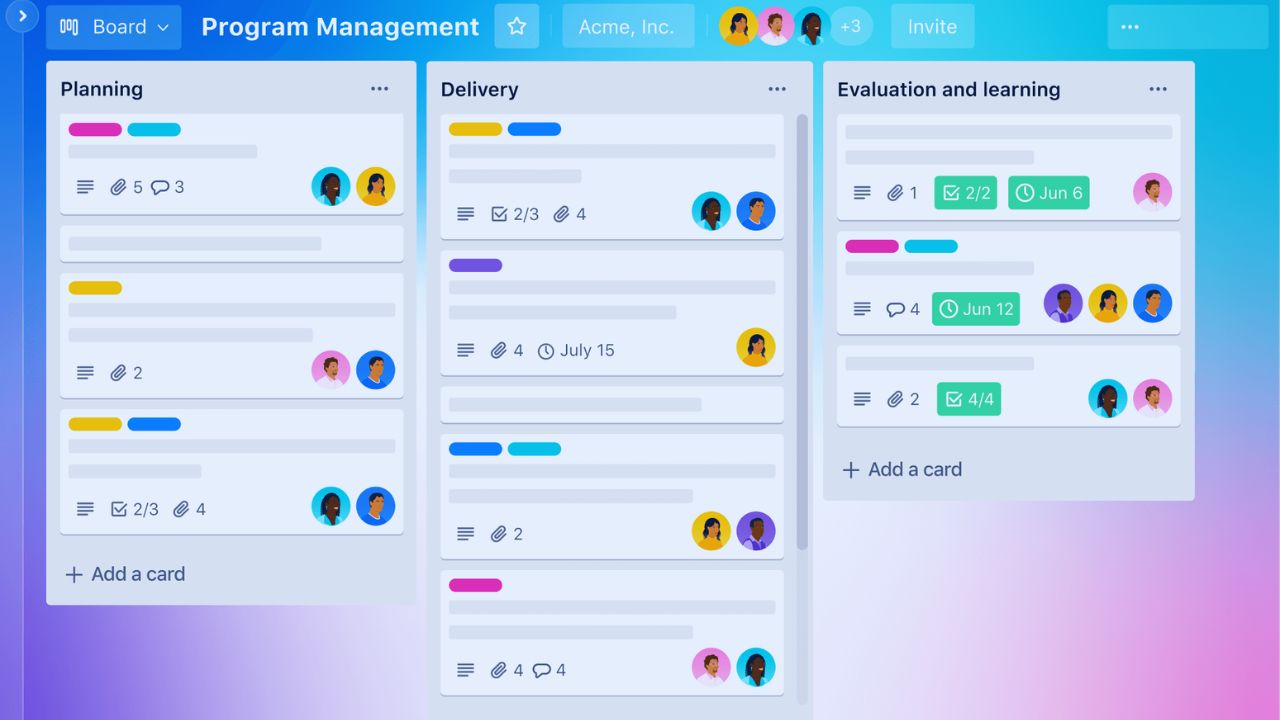
A Trello board should represent one project, team, or area of responsibility. Beginners often create too many boards too quickly, then lose track of where tasks belong.
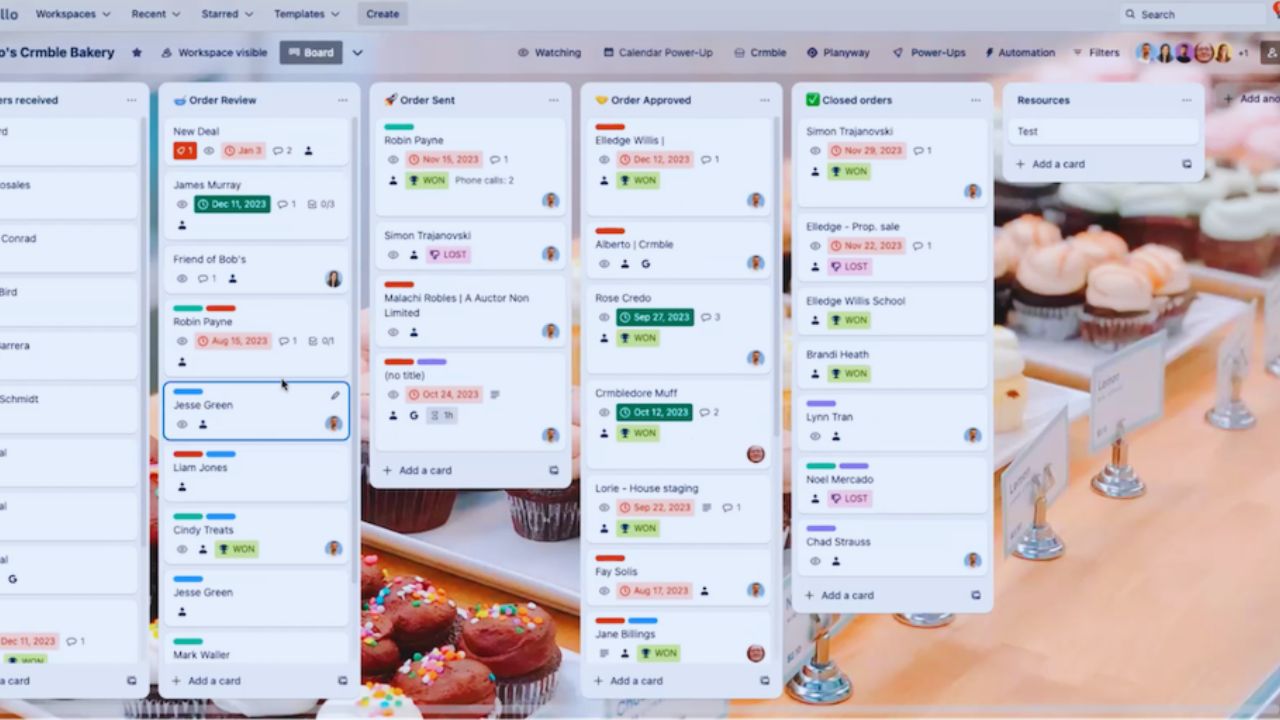
A clear board setup keeps attention in one place and makes daily review easier. For a simple personal workflow, one board for current tasks is enough.
For a content team, one board may cover the full publishing process. The board name should be specific so it stays useful weeks later.
Keep the First Lists Practical
Lists should match the real stages of your work. A basic board can start with To Do, Doing, and Done. A content board may need Ideas, Drafting, Editing, Scheduled, and Published.
This list structure should describe what actually happens, not what sounds impressive. Too many lists slow decisions because tasks become harder to place. If two lists mean almost the same thing, combine them.
Cards Should Hold Real Context
Cards are where the actual work lives. A card title should describe the next action clearly, such as “Draft newsletter intro” instead of “Newsletter.” The description can hold notes, links, instructions, files, or reminders.
This card context helps future you, or another teammate, understand what needs to happen without searching through messages.
A card should not be used as a vague bookmark. If the task needs explanation, place the explanation inside the card before moving on.
Checklists Make Larger Tasks Manageable
A checklist is useful when a task has several small steps. For example, a blog post card can include research, outline, draft, edit, image, review, and schedule.
This task breakdown prevents large cards from sitting unfinished because nobody knows the next step.
Keep checklists short enough to scan quickly. If a checklist becomes too long, the card may need to be split into several cards.
Dates and Owners Prevent Drift
Due dates and members give Trello cards practical accountability. A due date shows when something needs attention, while a member shows who is responsible for moving it forward.
This task ownership matters most on shared boards, where unclear responsibility causes delays. Beginners should avoid assigning everyone to every card. One clear owner is usually better than five people assuming someone else will handle it.
Move Work Instead of Rewriting Plans
Trello is useful because progress is visible. When work starts, move the card into Doing; when it is finished, move it into Done. This visual workflow gives the board a natural rhythm without requiring long status updates.
It also shows when too many tasks are active at the same time. If the Doing list is crowded, pause new work and finish what is already open. A board should reveal overload, not hide it.
Limit Active Cards Early
Kanban works better when teams avoid starting everything at once. A small Doing list protects focus and reduces switching between unfinished tasks.
This work limit is especially helpful for students, writers, developers, and small teams that handle many requests. Two or three active cards may be enough for one person. A team can set a higher limit, but it should still be visible and respected.
Also Read: Google Calendar in 2026: Digital Tutorial for Daily Use
Labels Should Clarify, Not Decorate
Labels can help organize cards by priority, content type, department, client, or task category. They become confusing when every color means something vague. A clean label system should be easy to understand without a separate manual.
Use fewer labels at first, then add more only when filtering becomes necessary. If a label is rarely used, remove it. Trello should reduce visual clutter, not create another layer of sorting work.
Archives Keep Boards Readable
Done cards should not pile up forever. Archiving completed or inactive cards keeps the board easier to scan. This archive habit also helps users focus on current work instead of old activity.
Archiving does not mean deleting useful history; it simply removes finished cards from the daily view. Review Done regularly, archive what no longer needs attention, and keep the board light.
Power Ups Should Solve One Real Problem
Power Ups can add calendar views, repeated cards, voting, integrations, or extra reporting. Beginners should resist adding several on the first day. A good Power Up choice solves a real issue already visible in the workflow.
If deadlines are the problem, a calendar view may help. If recurring chores are missed, a repeating card can help. Add one improvement at a time so the board stays understandable.
Automation Should Stay Human Friendly
Automation can reduce repeated clicks, but it should not make the board mysterious. Simple rules can move cards, add checklists, assign members, or set reminders.
This Trello automation is useful only when users still understand what changed and why. Avoid rules that create surprise actions. A small board with clear routines is better than a complex board nobody trusts.
A Content Calendar Shows Trello’s Value
A practical content board can move ideas from planning to publication without scattered notes. Lists may include Ideas, Outline, Draft, Edit, Graphics, Scheduled, and Published.
Each content calendar card can hold the title, keyword, brief, links, files, due date, writer, editor, and final status.
This keeps the article process visible from first idea to published post. When a deadline shifts, the card moves or the date changes, and the team sees it immediately.
Avoid Turning Cards Into Storage Boxes
Trello is not meant to hold every possible note forever. Cards should contain enough information to complete the work, not every unrelated file or idea.
This card cleanup keeps boards fast and readable. If a card becomes crowded, move reference material to a document and link only the useful source. Clean cards make handoffs easier.
Build a Board You Will Actually Maintain
A good Trello system is not the one with the most features. It is the one you can review, update, and trust during busy weeks. A strong Trello workflow uses clear boards, practical lists, useful cards, simple labels, realistic dates, and limited active work.
Review the board daily, archive completed cards, and adjust lists when the process changes. Trello becomes reliable when it reflects real work, not an ideal version of work nobody follows.