In daily work, video and voice tools win or lose trust in seconds. Searchers asking about Zoom in 2026 want a clear picture of what changed, what matters, and what to do next.
The phrase Zoom in 2026 covers two things at once: new AI capabilities that touch documents, meetings, and sales workflows, and practical standards that make rooms, phones, and support feel consistent.
AI now fills gaps between those steps. Notes appear, action items sync, and meeting artifacts get organized without manual effort. Adoption grows when the basics stay predictable and the help never feels intrusive.

What Zoom In 2026 Means for Teams
Modern collaboration spreads across meetings, calls, documents, chat, and searchable recordings. AI now sits across those surfaces as a helper that drafts, finds, and follows through. The goal is not to replace human judgment.
The goal is to cut the busywork so your time lands on decisions, relationships, and delivery. Platform updates late in 2025 added a conversational hub for work, unified document creation and research, smarter search across files, and better room controls.
These features matter when they reduce context switching and slow handoffs. Gains appear when your people can start, meet, decide, and finish on the same surface.
AI Trends Shaping Zoom In 2026
Practical AI trends explain where the platform is heading and how your workflows will change. Treat these as directional signals for planning, training, and policy.
Federated AI
In the enterprise, one model rarely fits every task. A federated approach lets systems select among models for accuracy, cost, and speed.
That means faster responses for summaries, stronger lookups for research, and more reliable extraction for actions. Federated AI helps you balance output quality and spend while keeping options open as models evolve.
Agentic AI at Work
Task-level agents now turn conversations into completion. Status updates, recap drafts, calendar joins, and follow-ups can fire automatically.
The payoff shows up when the handoff between notes, tasks, and messages feels seamless. Agentic AI works best when carefully scoped, routinely monitored, and paired with clear escalation paths.
Trust and Transparency
Consent and context matter more as AI acts on your behalf. Clear prompts, visible controls, and simple explanations build confidence across teams.
Strong policies clarify what data is analyzed, where summaries live, who can share them, and how long artifacts are retained. Transparent defaults reduce surprises and speed adoption.
Marketing In A Trust-First Era
Authenticity beats volume in channels flooded with AI-generated content. Strong teams use AI to sharpen voice, structure briefs, and accelerate production without losing the human tone customers expect.
Authority now travels across signals that machines can read and people can believe, including consistent messaging, credible mentions, and verifiable product truth. Metrics shift toward agility and learning speed, not vanity totals that hide weak fit or poor timing.
Customer Experience In 2026
AI changes what agents handle, how leaders measure performance, and where value gets created. Treat these shifts as an opportunity to simplify journeys and reduce effort for customers and staff.
Effort Over Satisfaction
Customer satisfaction remains useful, yet the stronger signal is effort. Lowering the steps to solve a problem builds loyalty faster than chasing raw happiness scores.
Journey analytics and proactive orchestration can remove repetitive tasks, cut transfers, and prevent avoidable confusion. Tracking customer effort score across channels keeps priorities aligned.
Virtual Agents As Staff
Automation no longer lives as a side experiment. Virtual agents join the staffing mix with goals, guardrails, and scorecards.
Routing logic decides when to engage a bot, when to switch to a human, and how to blend both for speed and empathy. Treat automation like any teammate: measure outcomes, coach behavior, and adjust scope when data shows drift.
Connected Intelligence
Contact centers create high-value signals for the whole business. Conversation insights can inform product fixes, marketing language, pricing moves, and service design.
When one shared layer turns interactions into structured insights, every team can align on what customers say, where experiences break, and which investments matter most.
Workforce Experience Management
Scheduling alone does not keep teams healthy. Workforce tools now balance human and automated capacity, forecast demand, and assign the right resource for the job.
In certain cases, trained humans deliver better outcomes and lower total cost than automation because they prevent repeat contacts and salvage relationships. Track both cost and consequence.
Zoom Workplace Updates: Late 2025 Snapshot
Recent updates introduced a conversational work surface that pulls Zoom Docs, meeting insights, and search into one place. Zoom AI Companion gained stronger drafting, research, and retrieval, using context from meetings and connected drives to reduce searching and manual assembly.
Document controls improved through page-level sharing, update subscriptions, and table population. Hubs became the default home for many online users, making stored files and summaries easier to find. Whiteboard changes preserved annotations and enabled individual canvases for focused work.
Rooms added expanded voice commands for basic settings and how-to guidance. Video libraries became easier to mine through transcript search. Event workflows simplified setup and exposed cross-event analytics for marketing teams. Sales features surfaced non-recorded calendar meetings in CRM, delivered editable recaps, scheduled dialer callbacks, and expanded outbound calling in Japan.
The 2026 Zoom-Ready Checklist
A clean experience depends on standards more than licenses. Use this five-point list to align IT, facilities, and AV.
- Room Models: Define huddle, medium, and large tiers, then standardize join flow, audio tests, camera behavior, and content sharing methods.
- Calendar and Scheduling: Pick one calendar integration, deploy room displays where needed, and enable check-in and auto-release to reduce ghost meetings.
- Network and Security: Validate VLANs, QoS, DNS, DHCP, and firewall rules for real-time media, then test rooms at peak times to confirm consistency.
- Management and Support: Enable Zoom Device Management, set staged update policies, and add remote restart and device selection to the support runbook.
- Voice and Safety: Plan Zoom Phone for common areas, implement nomadic emergency services, and define internal safety responses across sites and remote work.
AI Companion Governance That Respects People
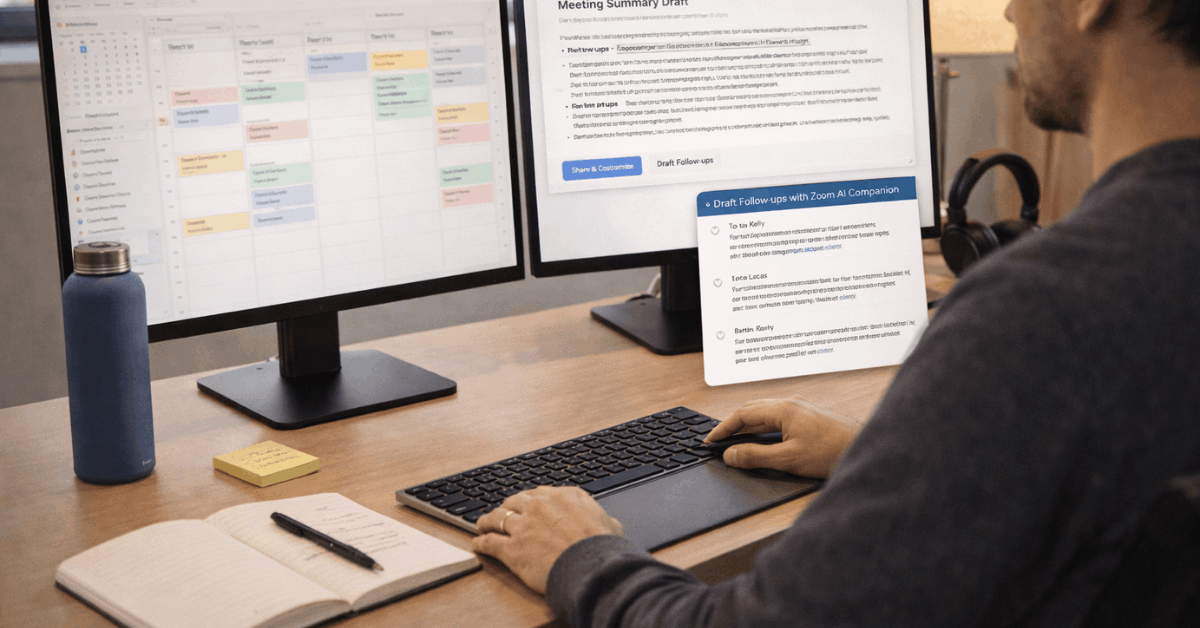
Meeting summaries can save hours over a week, though uncontrolled sharing can pose risks. Decide who can start Zoom AI Companion features, which meetings are excluded, and where summaries live.
Train hosts to announce when AI is active and to confirm distribution rules. Explain retention windows in plain language.
Expand governance as capabilities grow, including agentic retrieval across connected drives and templates that draft follow-ups or tasks. Clear policy accelerates adoption because participants understand what happens next.
Practical Notes On Cross-Platform Joins And E911
Many rooms need to join meetings on multiple platforms. Establish whether cross-platform joins sit inside your standard or remain an exception, then test them regularly.
For device strategy, appliance-based rooms simplify deployment and updates, while compute-based rooms can support deeper integrations. Features in Zoom Rooms can vary by operating system, so map expectations during design, not after installation.
Emergency Calling Deserves Its Own Plan
Nomadic services map users to accurate locations for emergency calls through network signals and defined sub-locations. The desktop client can prompt for new locations when it detects something unknown.
Mobile calls use the carrier’s native emergency services on supported platforms. Assign ownership for address accuracy, location setup, and internal response steps, then review quarterly.
Last Thoughts
Treat Zoom in 2026 as a systems project: standards first, thoughtful AI second, transparent governance always. Lock room models, calendar policies, and network baselines, then pilot AI Companion, where it reduces effort.
Train hosts on consent cues, announce recordings, and control summary distribution to prevent risky oversharing. Measure outcomes through customer effort, time to decision, and fewer context switches across daily workflows.