Online tools promise speed, but they often add extra steps. The phrase online tools for simple productivity matters because setup can steal your week.
This guide ranks tools that fit a normal workday and common digital tasks. You will get simple workflows, quick comparisons, and defaults that cut clutter.
Each section sticks to one job, so you stay focused. Fewer steps, clearer results are the standard for every pick. Use the tool that removes your biggest daily delay first.
Morning Planning That Protects Focus: Morgen Calendar
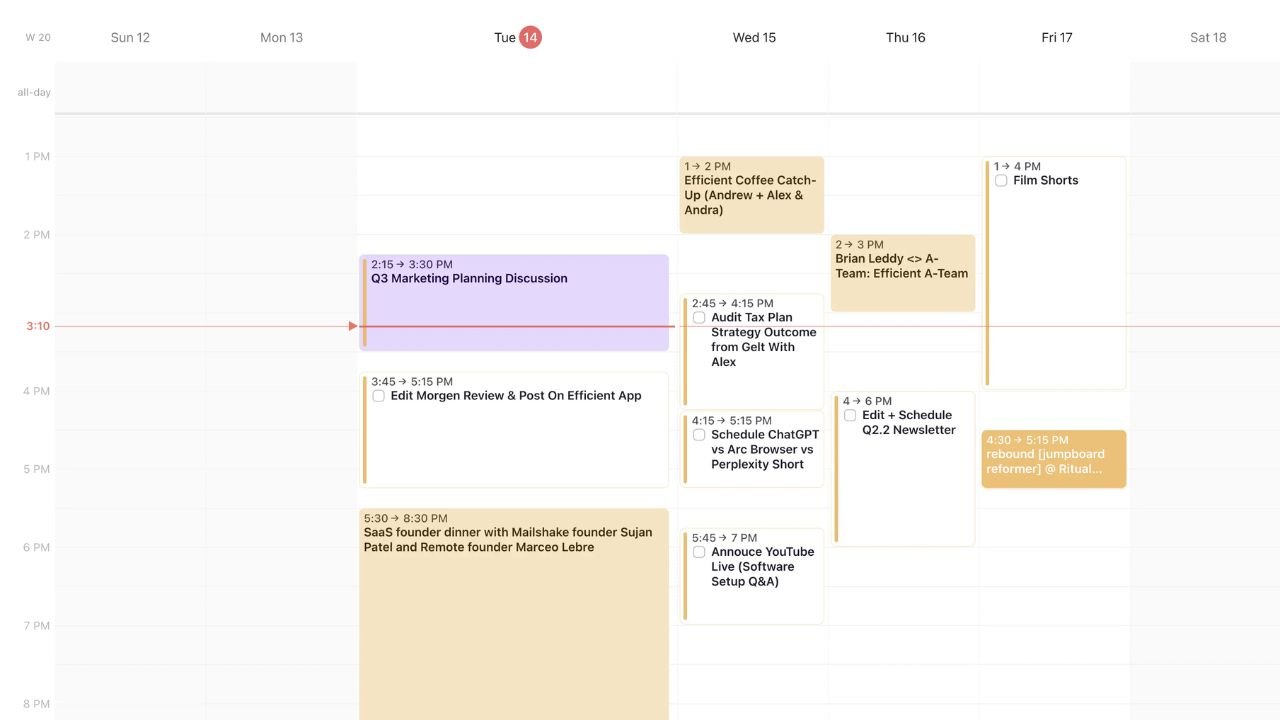
Morning planning works best when your calendar and tasks stay connected. Morgen Calendar ranks high because it makes time blocking feel natural.
You can pull meetings, add focus blocks, and see conflicts quickly. It also helps you avoid overbooking when your week gets busy.
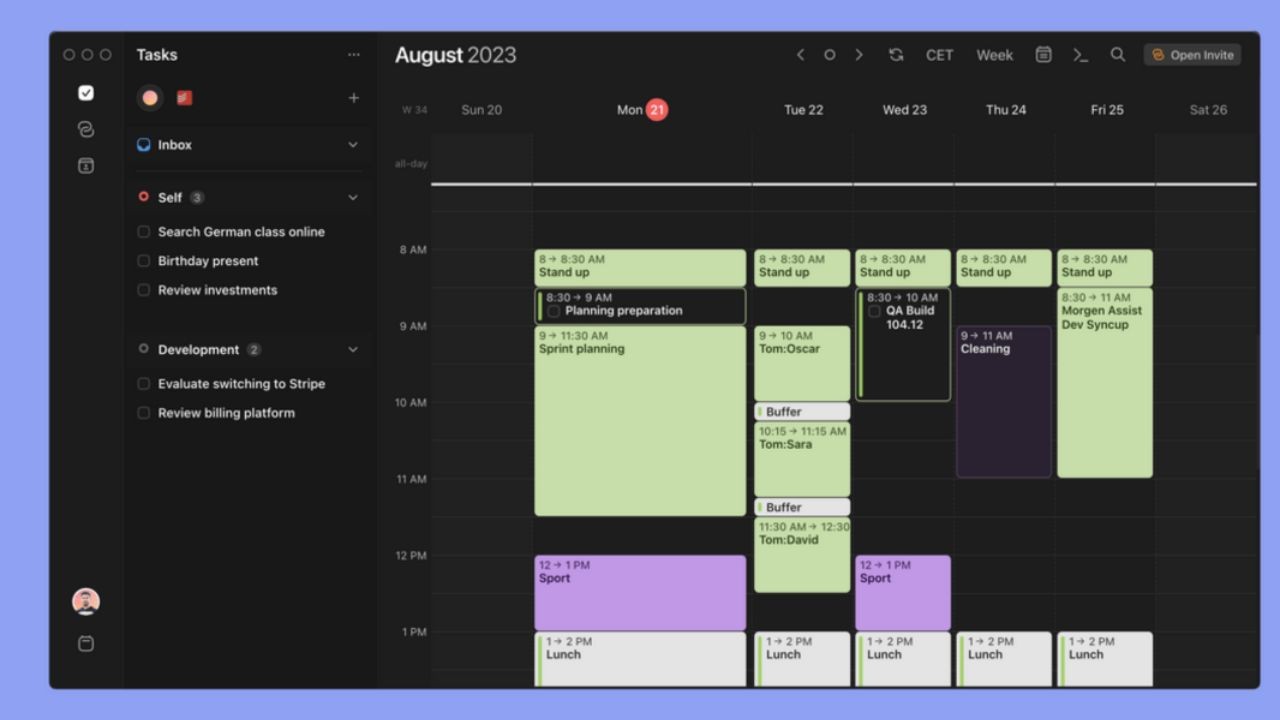
Protected focus time is the real benefit you feel after one day. This tool earns its rank because it keeps planning practical, not perfect.
Create Focus Blocks In Minutes
Start by importing your existing calendars so nothing goes missing. Create two daily focus blocks for the next week, one for deep work and one for admin. Label blocks with outcomes, like Draft Outline or Send Invoices.
Keep block lengths realistic so you do not ignore the schedule. Time blocks need boundaries, or they become wishful thinking. Review the day at lunch and move blocks instead of deleting them.
Keep Meetings From Taking Over
Set a rule that meetings cannot land inside your deep work block. If you must take calls, cluster them into one or two windows. Add a short buffer before and after meetings to protect transitions. Use clear titles so you know what the call is for later.
Meeting creep is real when you leave your calendar open-ended. With simple limits, you keep control without constant rescheduling.
When Your Current Calendar Is Already Enough
You may not need a new calendar tool if your schedule is stable. If you book only a few meetings weekly, your default calendar can work. The value of Morgen shows up when you juggle multiple calendars and time zones.
It also helps when you want to focus on blocks visible beside meetings. Complex weeks need clearer planning more than extra features. Choose the simplest tool that still protects your time blocks.
Capture And Notes Without A Mess: Milanote
Ideas arrive in fragments, and you need a place to park them fast. Milanote ranks high for capture because it feels visual and flexible. You can add links, images, notes, and checklists to a single board.
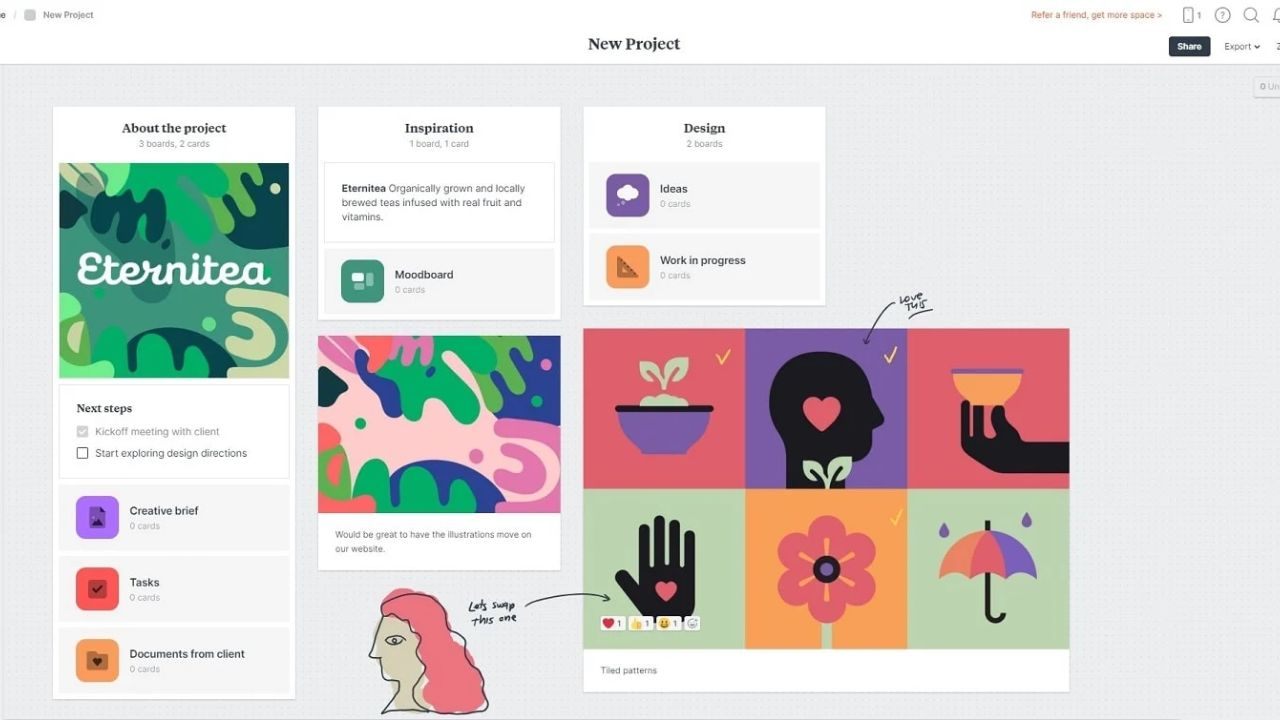
That makes it useful for content planning, research, and simple projects. One board per outcome keeps your thinking organized without heavy structure. This tool is ranked well because it turns messy inputs into usable plans.
A One-Board Setup You Can Reuse
Create a board called This Week and pin it to the top. Add three columns: Inputs, Draft, and Ready, then stop there. Drop new items into the Inputs as soon as you find them.
Move only the items you will use into Draft, and keep Ready small. Visual sorting beats endless folders when you need speed. At the end of Friday, archive the board and duplicate it for Monday.
Organize Ideas Without Endless Cards
Overcomplication happens when every idea becomes a separate card. Batch similar items into one card, like Sources for Article Topic A. Write one sentence on top explaining why the card matters. Limit tags to two or three so you can filter without confusion.
A short note adds context and saves you from re-reading later. If a card has not moved in two weeks, delete it or archive it.
Task Execution Without Overbuilding: Microsoft To Do
Execution fails when tasks live in too many places. Microsoft To Do ranks high because it stays simple and familiar.
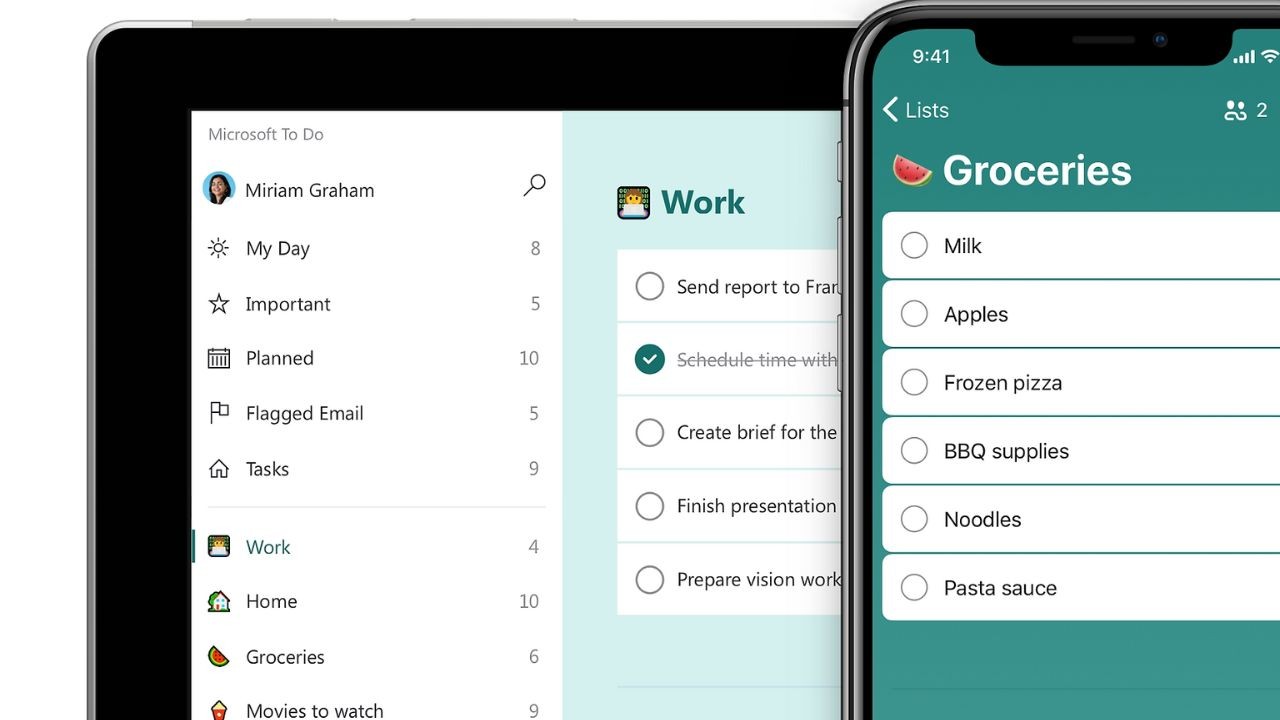
You can build daily lists, set reminders, and keep recurring items steady. It is best for personal productivity and lightweight work tracking.
A single daily list reduces mental load when you start working each morning. This tool ranks well because it supports follow-through without complex boards.
The Daily List That Actually Gets Used
Create a list called Today and keep it brutally short. Pull three priority tasks from your backlog and stop adding more. Write tasks as actions, like Send Quote, not vague goals. Attach links or short notes only when they prevent a search later.
Three priorities are enough for most days, even on busy weeks. Mark tasks done as soon as you finish, so the list stays trustworthy.
Recurring Tasks With Minimal Maintenance
Use recurring tasks for habits you do on a fixed rhythm. Set them weekly for reviews, invoices, or content-planning checkpoints, with clear due dates. Avoid daily recurrences unless missing the task has a real cost.
Group small chores into one task, like Admin Cleanup, to stay focused. Recurrence should reduce thinking, not create more notifications. Once a month, delete recurrences that you keep postponing without guilt.
When A Simple List Beats Another App
A task app is useful, but it is not always necessary. If your work is simple, a paper list can be faster. Microsoft To Do shines when reminders and recurring items matter. It is also better when you switch devices and need the same list.
Match the tool to the task instead of copying someone else’s system. When tracking becomes a chore, reduce lists until it feels effortless.
End Of Day Review Without Overthinking: RescueTime
End-of-day review works best when it is based on real data. RescueTime ranks high because it shows where your hours actually went.
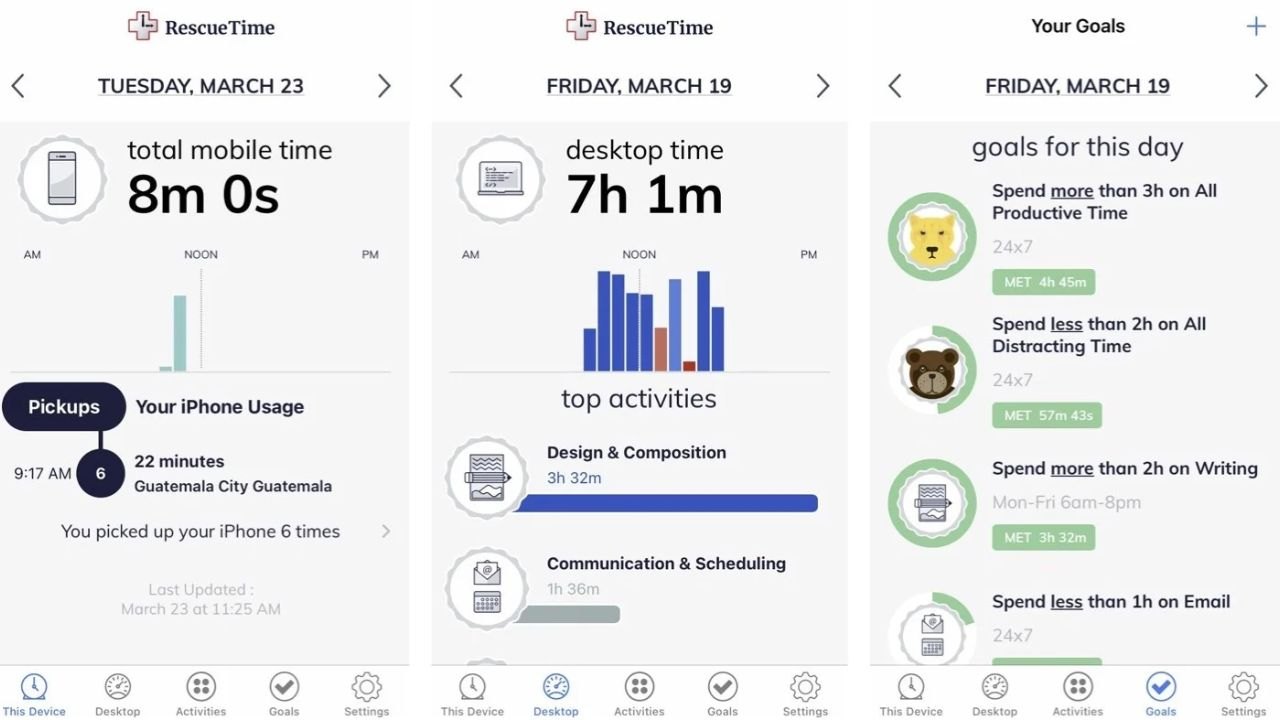
It helps you spot distraction patterns without manual tracking. You can compare focused work time across days and weeks quickly.
Awareness drives better choices when you are trying to improve routines. This tool earns its rank because insights are clear and setup stays light.
Start Tracking With Minimal Settings
Install it, then leave categories on default for the first week. Do not micromanage labels until you see a real pattern. Set one simple goal, like two hours of focused work per weekday. Use alerts only for your biggest distraction, not ten small ones.
Light tracking keeps you honest without turning into another project. After seven days, adjust categories only where the data feels wrong.
Use Data Without Overanalyzing
Check your dashboard once a day, not every hour. Look for one change you can make tomorrow, like blocking a site. Compare your best day to your worst day and find the difference. Keep notes on what helped, like a quiet room or a closed inbox.
Trends matter more than minutes when you want sustainable improvement. If you feel stressed by the data, reduce reports and focus on one metric.
Conclusion
Simple productivity works when your day follows a clear loop. Plan focus time, capture inputs fast, then execute from one short list. Share updates with links, not long messages that confuse people.
Review your time so you improve with facts, not guesses. Small stacks scale better than big systems that need constant cleanup. If a tool does not save time this week, remove it. Keep the routine repeatable, and your tools will stay manageable.