Digital life gets noisy when tasks are scattered. This guide shares useful tools for managing digital tasks for beginners. If you are new, you need a clear flow, not a pile of apps. You will learn what to handle first.
You will see tools for capture, planning, files, and sharing. You will learn safety and focus habits that keep you calm. By the end, you will have a toolkit you can use daily.
A 4-Step Workflow for Digital Task Management
A digital task is any action on a device that moves something forward. Beginners feel overwhelmed when tasks stay in their heads, and files live everywhere.
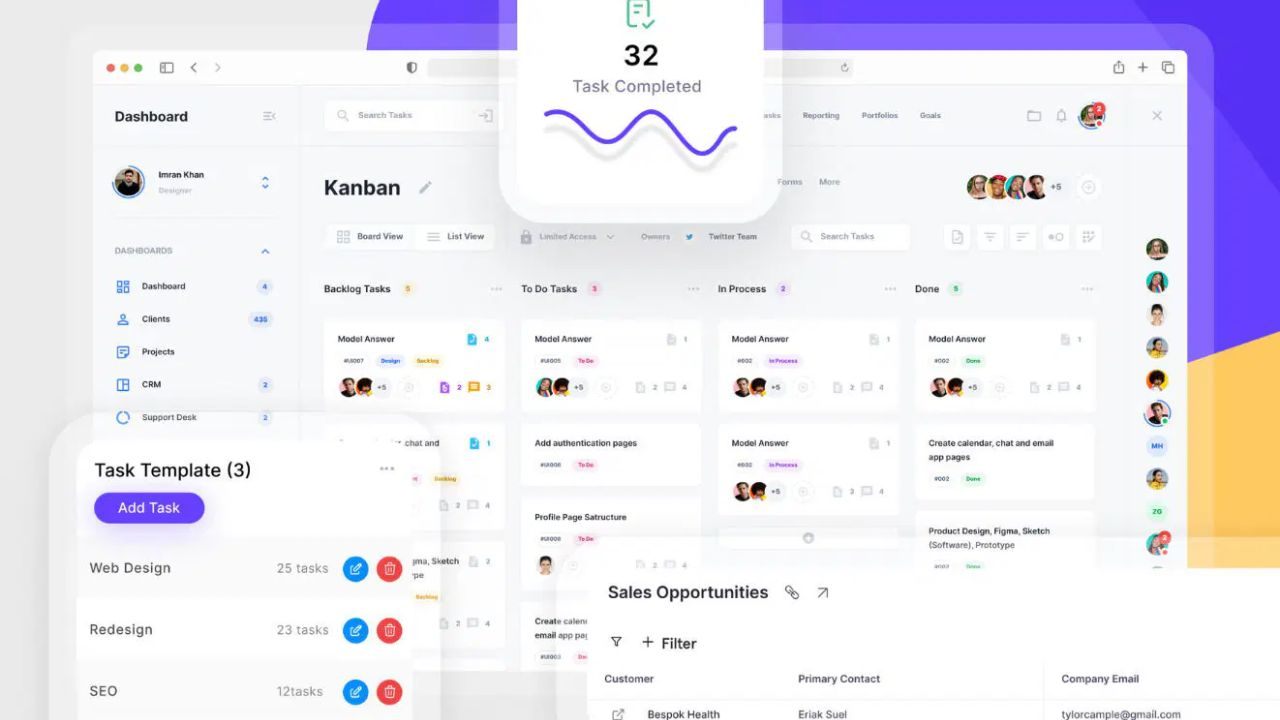
A workflow helps by giving each task a path. Use one tool to capture, one to decide, one to focus, and one to store. This keeps choices simple and reduces rework. Once the flow is set, tools feel supportive.
Capture Tools to Collect Digital Tasks Fast
Capture tools stop small tasks from slipping away when you are busy. Simplenote works well for quick text, while Bear organizes notes.

Raindrop is useful when the task is a link you want to save. Keep capture simple with one inbox note or one default collection. Write the next action in the first line for later. This habit reduces mental clutter and makes planning easier.
Task Planning Tools That Turn Notes Into Actions
Decision tools turn captured ideas into a short list you can finish. TickTick keeps tasks, reminders, and a clear today view in one place. Anydo works if you want a simple task list with quick sorting.
Start with two lists: Today and This Week, so nothing gets buried. Rewrite vague tasks as a clear verb and a result. Clear decisions reduce procrastination and keep your system moving.
Focus Tools That Reduce Digital Distraction
Focus tools protect attention so digital tasks do not expand all day. Freedom can block distracting sites, which helps you start calmly. Cold Turkey is stricter and works well when you need hard limits. Set a focus window, like 25 minutes, then take a break.
Keep your task tool and files open during the window. This lowers stress because you are not fighting constant impulses.
Storage Tools That Keep Digital Files Organized
Storage tools keep your work findable, shareable, and less likely to disappear. The box is strong for organized folders and permission controls. pCloud is a simple option for storage and device syncing.
MEGA is known for its privacy features that offer reassurance for sensitive files. Use one folder structure and save everything to the same home. Good storage removes panic because you can locate files fast.
Document and File Tools That Simplify Paperwork
Documents and files waste time when formats and versions get confusing. A good workflow lets you create, scan, edit, and share without hunting for the latest copies.
Choose tools that save automatically and export predictably. Use the same steps each time you submit a form or send a document.
When your file process is stable, other digital tasks feel easier. The tools below focus on clarity.
Online Writing Tools for Easy Collaboration
For writing and collaboration, pick an online suite with a clean layout. Zoho Writer offers a simple editor with sharing and commenting built in. ONLYOFFICE helps when you want a familiar document layout for a small team.
Create one folder for drafts and one for final versions from day 1. Share by link and set access to view or edit. This prevents duplicates and reduces last-minute confusion.
PDF Tools for Editing and Signing Forms
PDF work is common because forms and portals often require it. Sejda PDF helps with quick edits, page order, and simple merges. Xodo works well for filling forms, highlighting text, and adding a signature.
Compress large files before uploading so you avoid size limits. After exporting, open the PDF once to confirm it looks right on screen. This check prevents rejections and saves time later.
Scanning Tools That Turn Paper Into Files
Scanning apps turn paper into clean digital files in minutes. Genius Scan is beginner-friendly because it auto-crops pages and removes shadows. Scanbot helps when you need to batch-scan multiple pages.
Save scans as PDF and name them with a date and purpose. Store them in your main folder so they do not live in your camera roll. This habit makes paperwork feel lighter and more controlled.
Communication Tools That Keep Coordination Simple
Communication becomes a digital task problem when messages scatter across channels.

Beginners lose time searching threads, repeating details, and missing updates. The goal is not more messaging, it is cleaner handoffs and fewer decisions. Pick tools that organize conversations and reduce notification noise.
Use link sharing for files so everyone sees the same version. With a few clear rules, communication feels lighter and respectful of your time.
Email Tools That Reduce Inbox Stress
Email is the backbone for accounts, receipts, and formal messages. Proton Mail offers privacy features and a clean interface that feels calm. Fastmail is known for speed, search, and flexible folders for work and personal life.
Create 3 folders: Action, Waiting, and Archive, so messages have a home. Check email at set times instead of all day to protect attention. This approach keeps your inbox from controlling your mood.
Link Sharing Rules That Prevent File Mix-Ups
Link sharing is a useful tool for managing digital tasks with other people. Send a shared link from Box or pCloud, so everyone sees one version. Set access to view for approval and edit for collaboration.
Remove access when the task is finished or set an expiration date. Name the file clearly before sharing so recipients understand it fast. These rules reduce back and forth and protect privacy.
Security Tools That Protect Accounts and Calm You
Security is part of task management because problems steal time and drain energy. Lockouts, malware, and lost files create panic and break your routine.

Beginner-friendly protection focuses on prevention, not fear. Pick tools that help you log in safely, recover quickly, and reduce risky clicks.
Combine that with light maintenance so your devices stay stable. When you feel safer, it is easier to focus and follow through.
Password Manager Tools That Prevent Lockouts
Password managers remove the pressure of remembering dozens of logins. KeePassXC is a solid choice if you want offline control and a simple vault. Enpass helps when you prefer a polished interface and easy syncing.
Generate long passwords so you stop reusing the same one everywhere. Store recovery information safely so you can regain access during stressful moments. This reduces worry and speeds up sign-ins.
Backup Tools That Protect Your Work
Backups protect your time because lost files create emotional chaos. Backblaze runs a simple computer backup quietly in the background for you. iDrive works when you want one plan for multiple devices.
Set backups to run automatically so you do not rely on memory. Test recovery once by restoring a small folder to confirm it works. Knowing you can recover files makes digital tasks feel safer later.
Browser Tools That Support Safer Clicking
Browser hygiene tools reduce distractions and lower your risk of unsafe clicks. uBlock Origin blocks intrusive ads and tracking, making browsing calmer. OneTab helps when you keep many tabs open and lose your place.
Remove unused extensions and keep only those that serve a clear purpose. When a page feels suspicious, pause and confirm the official source first. Clean browsing habits protect focus and reduce regret.
Monthly Maintenance Routine for Stable Devices
A small maintenance routine keeps your tools reliable and your stress lower. Once a month, update your system and key apps to patch security issues. Review storage folders and delete duplicates so the search stays accurate.
Check your password manager for weak passwords and replace them. Clear your download folder and browser cache so clutter does not build up. This short reset protects your time and keeps digital tasks manageable.
Conclusion
Digital life gets easier when you stop collecting apps and use a system. Begin with capture, decide, focus, and store, then match tools to each step. Useful tools for managing digital tasks are the ones you use daily.
Keep files consistent, share by link, and protect accounts with backups. Do maintenance so your setup stays stable. Start small this week and let steady confidence build.