Useful online tools work best when they solve everyday problems without adding another layer of confusion. This online tools guide explains how beginners can choose simple services for writing, organization, communication, file sharing, security, and backup habits.
It is useful for students, remote workers, freelancers, and everyday users avoiding too many apps. The goal is to build a small toolkit that feels reliable, easy to repeat, and safe enough for daily use.

Start With One Real Problem
Choosing tools becomes easier when you begin with one task that causes friction every week. Maybe you lose files, forget deadlines, struggle with PDFs, miss messages, or rewrite the same information too often.

A clear tool purpose keeps the decision practical because the tool must solve something you can name. Avoid installing apps just because they are popular or mentioned in a list. Test one tool against one problem before adding anything else.
Use a Simple Three-Part Test
Before committing to a new tool, check whether it is easy, fast, and worth repeating. Try one basic action, such as saving a note or editing a document, and check whether the buttons are easy to find.
A practical ease test also checks autosave, undo options, export choices, and whether the tool still feels clear the next day. If a basic task needs a long tutorial, it may not fit your routine. Beginners need tools that reduce hesitation, not tools that create more decisions.
Keep Writing and Documents in One Place
Writing tools are useful when drafts, comments, and final files stay organized. Google Docs, Word Online, and similar editors can help with school work, client drafts, letters, and reports.
A steady document workflow means drafting, reviewing, and exporting from one main location instead of copying files between apps. Use headings for longer documents and comments for reviews. This keeps revisions easier to track.
Treat Grammar Tools as Review Support
Grammar helpers can catch typos, repeated words, and sentences that may confuse readers. They are useful for emails, assignments, articles, and business messages, but your judgment still matters.
A careful writing review means reading each suggestion before accepting it. Some edits sound polished but change the tone or meaning. Use the tool to notice patterns, then keep your voice natural.
Check PDFs Before Sending
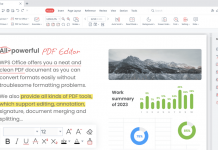
PDF tools help when forms need filling, pages need merging, or files need compression. They help with applications, invoices, school forms, and documents that must keep their layout.
A reliable PDF check means using a preview before saving and opening the final file once after export. Confirm the pages, signature, file size, and readability. For sensitive documents, avoid unknown upload sites and use trusted services or offline options.
Also Read: Tools That Replace Manual Digital Work
Organize Notes, Tasks, and Files Together
Organization tools reduce stress when they keep information outside your head but still easy to find. A notes app captures ideas, a task list shows next steps, and cloud storage keeps files available.
A practical digital system connects those pieces without becoming too complicated. Start with one notes tool, one task tool, and one main storage space. Use them daily before deciding whether you need anything more.
Capture Notes Before They Scatter
Notes are most helpful when they are quick to write and easy to search later. Use one inbox note for ideas, links, reminders, and small tasks that arrive during the day.
A focused quick capture habit prevents random screenshots, sticky notes, and chat messages from becoming your memory system.
Review the inbox once daily and move useful items into tasks, folders, or documents. Anything no longer useful should be deleted before it becomes clutter.
Name Files So Future You Can Find Them
Cloud storage works best when file names explain the content clearly. Use dates, short descriptions, and clear folders such as School, Work, Personal, Receipts, or Completed. A clean file naming habit helps when you are tired, rushing, or searching from your phone.
Save one main copy instead of creating several versions across different drives. When the file is finished, move it to the right folder before sharing it.
Make Communication Easier to Track
Communication tools should help you stay reachable without turning every message into an emergency. Email can handle formal requests, chat can handle quick updates, and video meetings can handle deeper discussions.
A calm communication flow gives each channel a purpose. Pin important threads, mute noisy groups, and keep search-friendly subject lines for emails. This reduces missed details and makes follow-up easier.
Prepare Before Video Calls
Video meeting tools work better when small details are checked before the call begins. Test your microphone, camera, and screen-sharing window before important meetings.
A simple meeting setup helps you avoid last-minute stress during interviews, online classes, client calls, or team discussions.
Use headphones when possible and share one window instead of your whole screen. These habits protect privacy and make the conversation clearer.
Share Large Files With Care
Large files often fail in email, so shared links can be more practical. Before sending a link, check the recipient, file name, access level, and needed permission.
A careful file sharing routine prevents accidental edits and keeps private documents from spreading too widely. If the file is temporary, use expiration settings when available. Remove access after the task is done.
Protect Accounts and Important Work
Digital safety is part of everyday tool use because lost accounts and missing files interrupt everything else. A password manager reduces reused passwords, while two-factor authentication protects important accounts.
A basic account safety routine also includes updates, recovery codes, and scam awareness. Be careful with urgent messages asking for passwords, payments, or unexpected downloads. Type official addresses yourself when a link feels suspicious.
Backups Turn Mistakes Into Smaller Problems
Backups protect your work from lost devices, accidental deletion, and corrupted files. Cloud sync is useful for daily files, but important memories or records may also need an external backup.
A steady backup habit includes checking that files are syncing and opening one restored file occasionally. This proves the backup actually works. Keep key files in one folder so protection stays simple.
Build a Toolkit You Can Maintain
Useful online tools should make daily tasks clearer, not heavier. Start with one document tool, one organizer, one communication setup, one storage space, and one safety routine. A small daily toolkit is easier to trust because every tool has a job.
Remove duplicates, avoid unknown downloads, and review your setup when tasks start feeling scattered. Keep what saves time, protect what matters, and let the toolkit grow only when your routine truly needs it carefully over time.